
README file from
GithubObsidian Big Characters
An Obsidian plugin for styling Simplified and Traditional Chinese characters, with optional automatic ruby pinyin annotations.
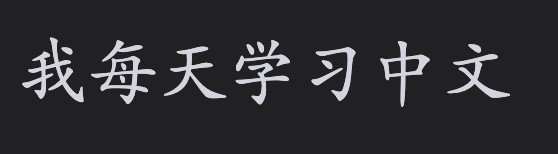
Use <span class="bc-zh-cn">...</span> for Chinese characters without pinyin, such as a flashcard front side. This supports Simplified and Traditional Chinese.
Use <span class="bc-zh-cn-pinyin">...</span> when pinyin should be shown according to the plugin’s Reading View and Live Preview settings. Traditional Chinese uses Pinyin Pro’s Traditional dictionary for contextual pronunciation (for example, 轉盤 → zhuàn pán).
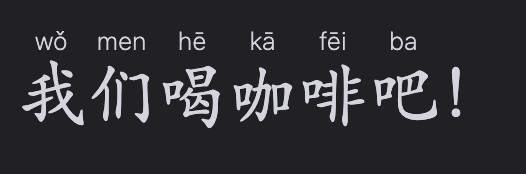
Both markers support bold and italic text.

Hotkeys
Assign shortcuts in Obsidian Settings → Hotkeys.
Use Big Characters: Toggle selection as Chinese to add or remove bc-zh-cn, or Big Characters: Toggle selection as Chinese pinyin for bc-zh-cn-pinyin.
Settings
The plugin’s settings lets you independently toggle pinyin in Live Preview and Reading View for bc-zh-cn-pinyin, and change the character and pinyin size/font. Restore defaults if custom values went too off.
Roadmap
- Support Traditional Chinese
- Support Korean
- Support Japanese
- Support Romanji
- Support Furigana
- Support Cantonese