
README file from
GithubBetter Folder Notes
English | 中文
Obsidian's file explorer only sorts by name, and folders can only be expanded or collapsed. What I wanted was one page per project where I can see the structure, reorder things and create new notes, without digging through the sidebar all day.
So I built this plugin.
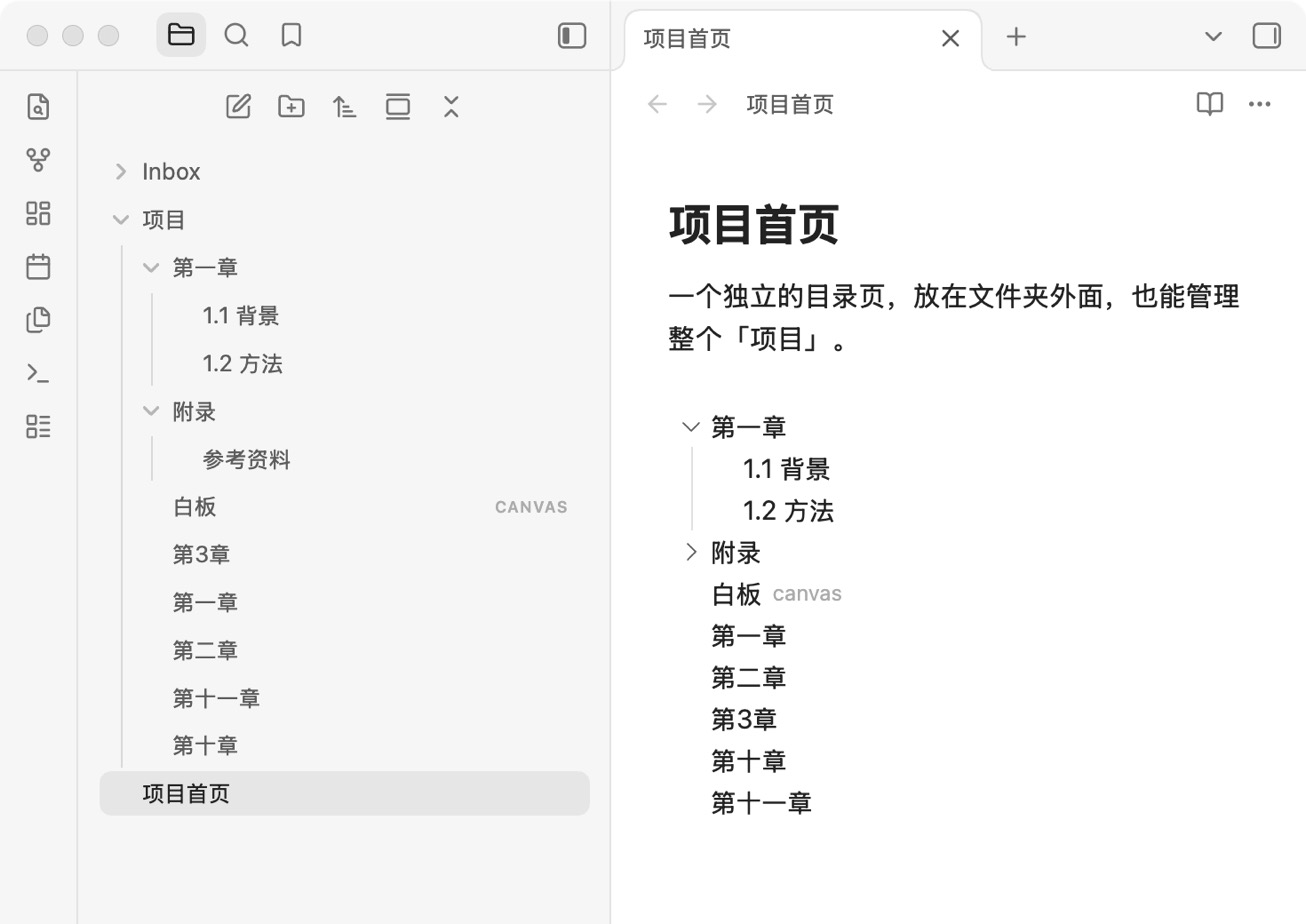
On the left is Obsidian's own file explorer, which puts 第十一章 (chapter 11) before 第十章 (chapter 10). On the right is the table of contents generated by the plugin, in the order you'd expect.
What it does
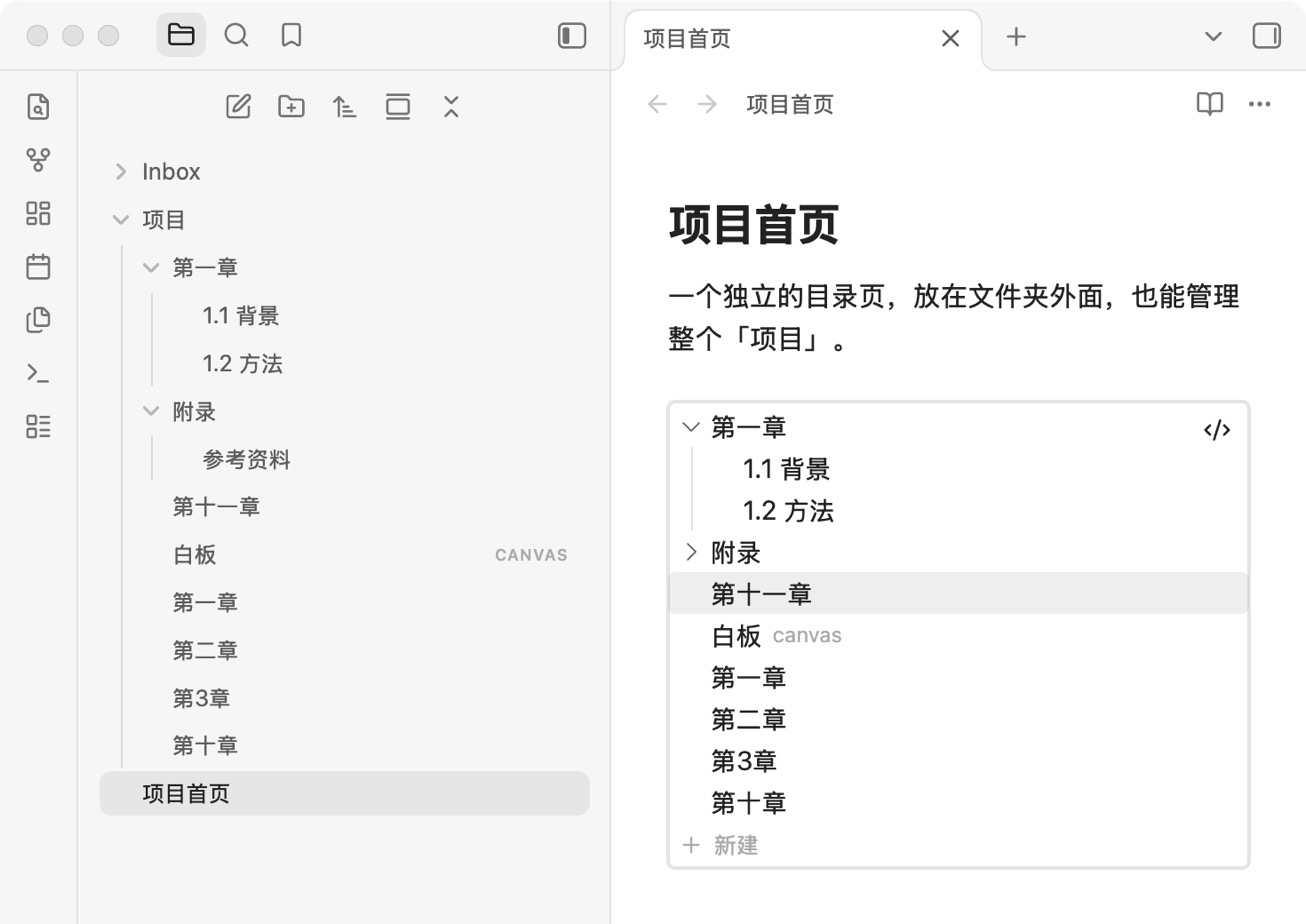
Any note can become the table of contents for a folder. The note can live anywhere and be called anything.
Inside the table of contents you can:
- Click the arrow to expand a subfolder, click a name to open it
- Expand a note to see its headings, and click a heading to jump straight to it
- Drag items to reorder them. File names and locations never change
- Click
+on a folder to create a note, folder or canvas right inside it - Add, delete or rename files, and the table of contents keeps up on its own
The order you set also shows up in the file explorer on the left. Clicking a folder there that has a table of contents opens it.
Numbers sort naturally, including Chinese numerals: 2 before 10, and 第二章 before 第十章.
How to use it
Right-click a folder and choose Create TOC note next to folder or Create TOC note inside folder. That's it. The note is called " TOC" ("项目的目录" in Chinese). Pick whichever side fits how you organize things.
If you already have a note you'd like to use, right-click the folder and choose Use existing note as folder TOC….
You can also write a table of contents block in any note yourself:
```folder-toc
folder: Projects/Book one
depth: 2
```
Both options are optional. Without folder, the block shows the folder this note is linked to, or the folder it lives in. Without depth, there's no limit on how deep it goes.
Installing
Once Obsidian's review is done, search for Better Folder Notes under Settings → Community plugins.
Until then, or to install by hand, download main.js, manifest.json and styles.css from Releases, put them in .obsidian/plugins/better-folder-notes/ inside your vault, restart Obsidian and enable the plugin under Community plugins.
Good to know
Order and links are stored in the plugin's own data.json, so your notes are left alone. If you stop using the plugin, just uninstall it and everything looks the way it did before.
The interface follows Obsidian's language: English, Chinese, Japanese, Korean and Spanish. Other languages fall back to English.
Drag-to-reorder doesn't work on phones yet. Use Move up / Move down in the context menu instead.
Development
npm install
npm run dev     # rebuild automatically while you edit
npm run build
npm test
License
MIT