
README file from
GithubBetter Explorer
Better Explorer adds VS Code-style sticky folder headers to the built-in file explorer.
When you scroll through a large vault, expanded parent folders stay pinned at the top of the file explorer and nested folders stack underneath them. The result is a small quality-of-life improvement: you can always see where you are without replacing Obsidian's native file explorer.
Demo
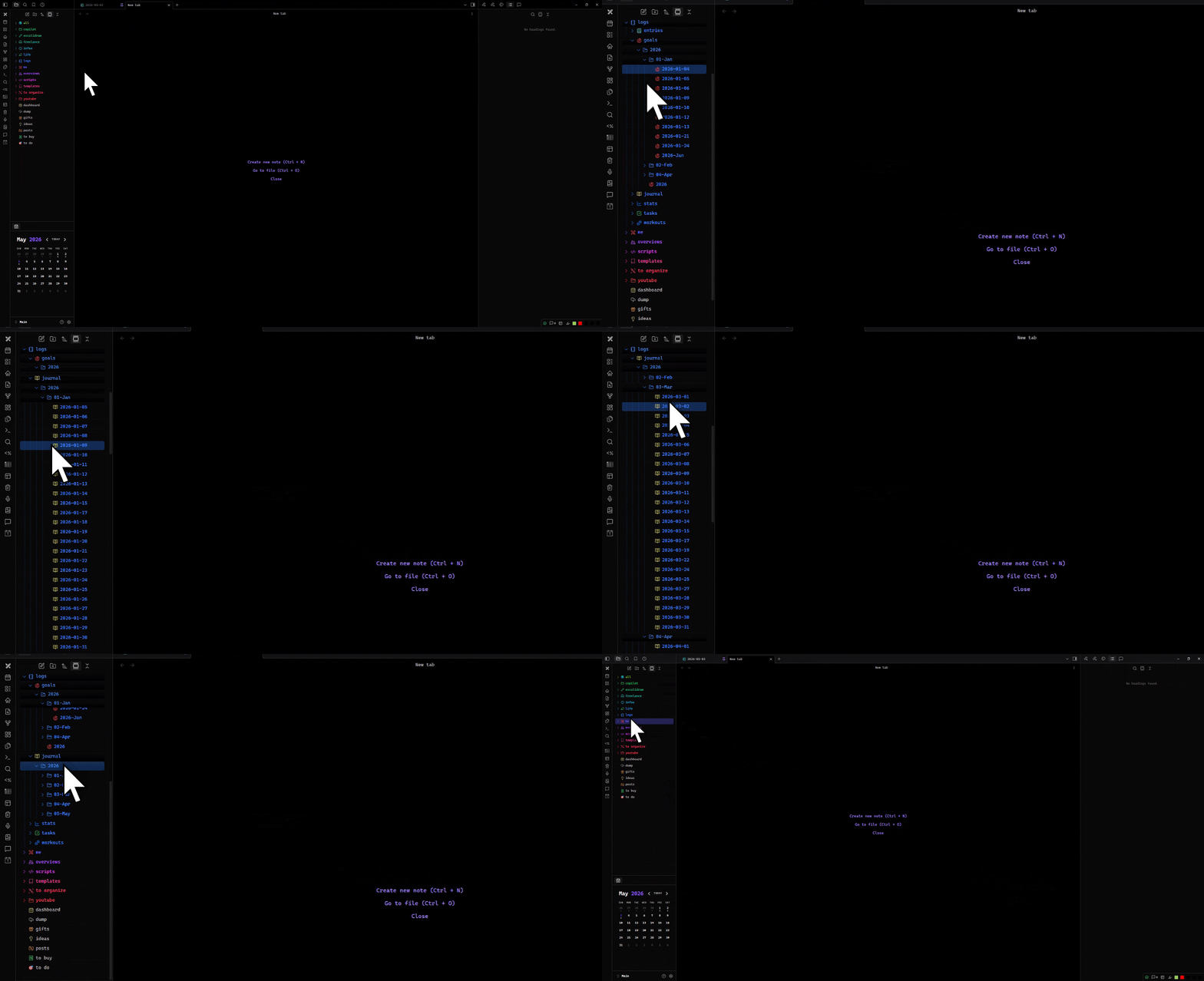
Features
- Sticky headers for expanded folders in Obsidian's core file explorer.
- Nested stacking for parent, child, and deeper open folders.
- Works with the existing file explorer instead of adding a separate view.
- Lightweight DOM enhancement; no vault scans on startup.
- No settings required.
- No network requests, telemetry, or data collection.
- Mobile-compatible in principle; the plugin does not use desktop-only APIs.
Installation
Community plugins
This plugin is not yet listed in Obsidian's community plugin directory.
Once it is available there:
- Open Settings → Community plugins in Obsidian.
- Disable Restricted mode if needed.
- Select Browse and search for Better Explorer.
- Select Install, then Enable.
Manual install
-
Download the latest release files:
manifest.jsonmain.jsstyles.css
-
Create this folder in your vault:
<Your vault>/.obsidian/plugins/better-explorer/ -
Copy the three files into that folder.
-
Reload Obsidian.
-
Enable Better Explorer in Settings → Community plugins.
Install from source
git clone https://github.com/iscii/obsidian-better-explorer.git
cd obsidian-better-explorer
npm install
npm run build
Then copy main.js, manifest.json, and styles.css into:
<Your vault>/.obsidian/plugins/better-explorer/
Reload Obsidian and enable the plugin.
Usage
There are no commands or settings. Enable the plugin and open Obsidian's file explorer.
Expanded folders become sticky as you scroll. Collapse a folder to remove its sticky header from the stack.
Privacy and security
Better Explorer runs locally inside Obsidian.
- It does not send network requests.
- It does not collect analytics or telemetry.
- It does not read note contents.
- It only enhances the file explorer DOM that Obsidian already renders.
Development
npm install
npm test
npm run build
npm run dev
npm testruns the core behavior tests.npm run buildtype-checks and bundles the plugin.npm run devwatches and rebuilds during development.
Release artifacts are main.js, manifest.json, and styles.css.
License
MIT