
README file from
GithubObsidian Bases Spotlight View
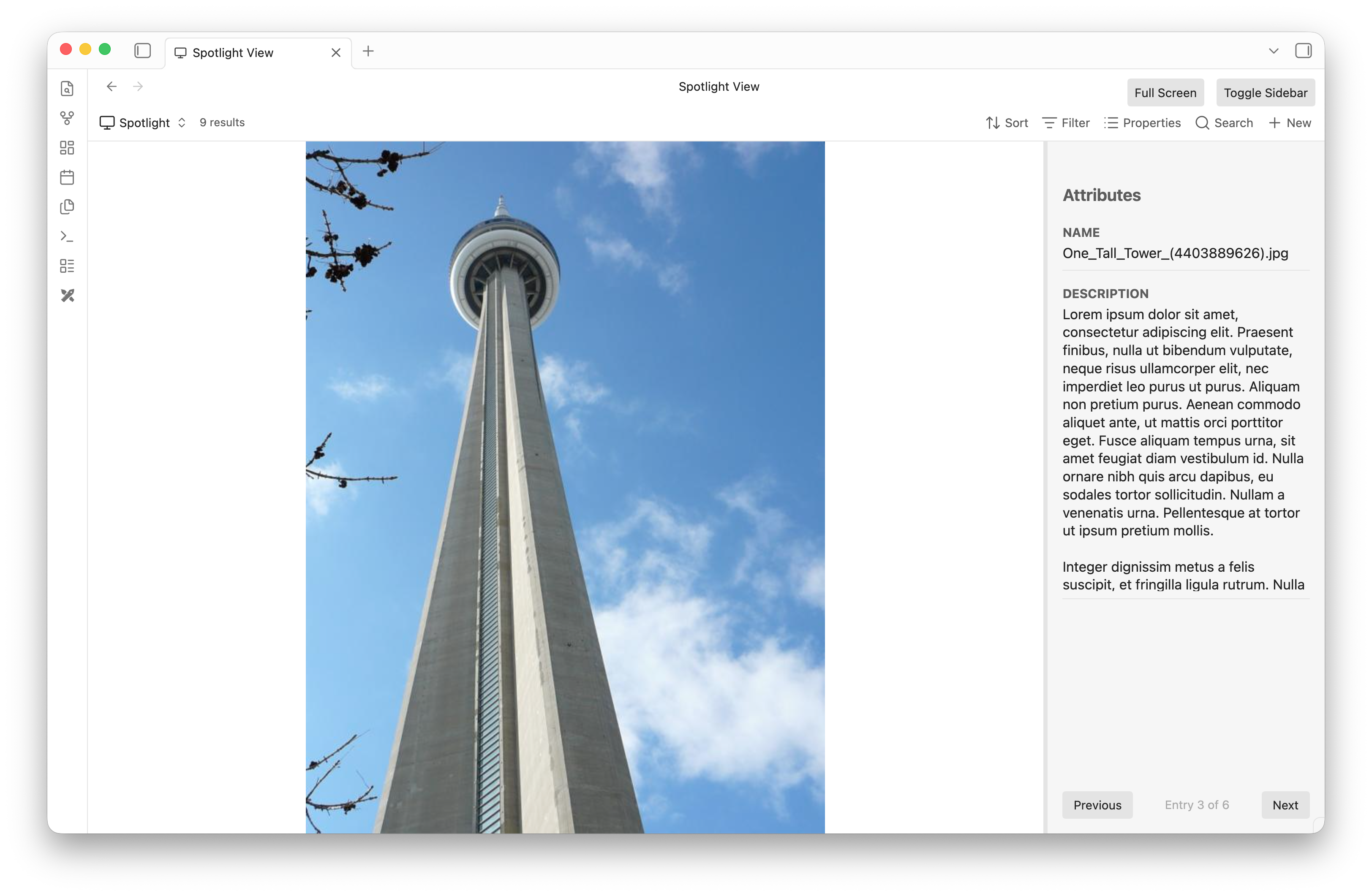
Obsidian Bases Spotlight View is a powerful plugin that integrates tightly with the Obsidian Bases framework. It provides a beautiful, dual-pane "Spotlight" view specifically designed for rapidly browsing, tagging, and managing structured metadata for files in your vault.
Whether you're organizing a collection of PDFs, sorting a gallery of images, or just blazing through notes, Spotlight View gives you a distraction-free, highly interactive interface.
Features
- Dual-Pane Interface: A massive center viewing area to read or view the file, accompanied by a sleek right sidebar focused exclusively on its metadata properties.
- Native Media Rendering: Flawlessly renders Markdown notes, edge-to-edge Images, and fully interactive PDFs directly in the center pane.
- Shadow Markdown Sidecars: Easily tag binary files! If you assign properties to an Image or PDF, the plugin transparently generates a
.mdsidecar file to store the metadata natively without cluttering your view. - Custom Content Properties: Override the center pane to render a specific text property instead of the file content. Spotlight automatically parses standard Obsidian
[[Wikilinks]]in your properties to seamlessly render the linked files! - Interactive Sidebar:
- Inline Editing: Click any property value to quickly edit its contents without opening any modal dialogs.
- Drag-and-Drop Reordering: Grab any property's name header to drag and reorder the layout to your exact preferences.
- Custom Heights: Grab the divider below any property to dynamically resize its height (perfect for long text fields). Layout changes are persisted globally!
How to Use
- Install the plugin alongside the Bases plugin.
- In any Base view, switch the view type to Spotlight View.
- Use the pagination controls (or arrow keys) to quickly cycle through the files returned by your Base's query.
- Customize your experience via the Base View Options (e.g., configuring the Spotlight Content Property). Note: To use the Spotlight Content Property successfully, you must use a standard
[[]]reference to a file in the property.
Development
To build this plugin locally:
npm install
npm run build
This will compile main.ts into main.js which Obsidian requires to load the plugin. Ensure your Obsidian vault has the plugin enabled in Community Plugins.