
README file from
GithubAutoDater for Obsidian
Automatically add Created and Updated dates to new and edited Markdown notes. Zero setup, no manual date tracking.
Requires Obsidian 1.13.0 or later.
What it does
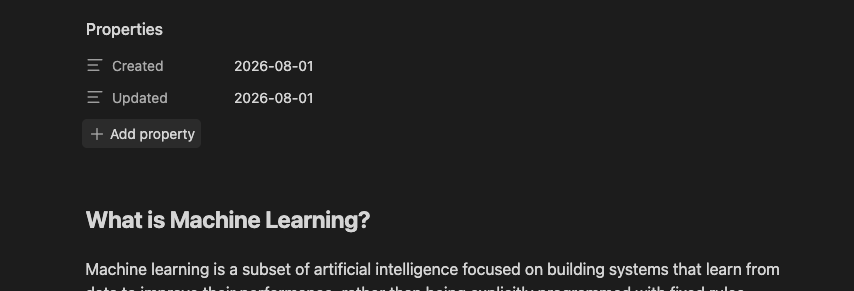
AutoDater writes dates into YAML frontmatter when you create or edit a note:
---
Created: 2026-08-01
Updated: 2026-08-01
---
- Adds
Createdwhen a new note has no existing value for that property - Updates
Updatedwhen you edit a note - Preserves existing
Createdvalues - Processes Markdown notes only
- Stores dates inside the note, so they travel with the file when frontmatter is preserved
- Waits six seconds after editing before updating frontmatter
- Works without templates or configuration
- Can exclude folders (for example, a Templates folder) so AutoDater leaves them untouched
Install
- Open Settings → Community Plugins.
- Click Browse and search for AutoDater.
- Install and enable it.
Settings
Defaults:
- Created property:
Created - Updated property:
Updated - Date format:
YYYY-MM-DD - Excluded folders: none
You can customize property names and date format in Settings → AutoDater. On Obsidian 1.13.0 and later, these settings also appear in the global settings search.
Excluded folders:
- Add folders you want AutoDater to skip, such as a
Templatesfolder. - AutoDater will not add or update dates in any note inside an excluded folder, including its subfolders.
- Use Add folder to enter a folder path, then remove entries with the delete button.
Date formats:
YYYY-MM-DD— date only (default)DD-MM-YYYY— date onlyMM-DD-YYYY— date only- Local date and time —
YYYY-MM-DD HH:MM - ISO 8601 — full ISO date-time string
Property names:
- Changing a property name affects future writes only. Existing frontmatter properties are not renamed automatically.
- Names are matched case-insensitively when updating existing fields. For example,
Updatedandupdatedare treated as the same property;modifiedis a separate property.
Obsidian property types:
- If you use
DD-MM-YYYYorMM-DD-YYYY, set the property type to Text in Obsidian. The Date property type expectsYYYY-MM-DDand may misread other formats (for example,02-08-2026as2002-08-20).
Important behavior
- Existing notes are not backfilled when you enable AutoDater.
- Editing an existing note adds or updates
Updated, but does not add a missingCreatedvalue. Createdrecords the date AutoDater first sees a new note without an existingCreatedproperty.
Development
npm install
npm run build
See GitHub Releases for version history.