
README file from
GithubAuto Sort Checked Items
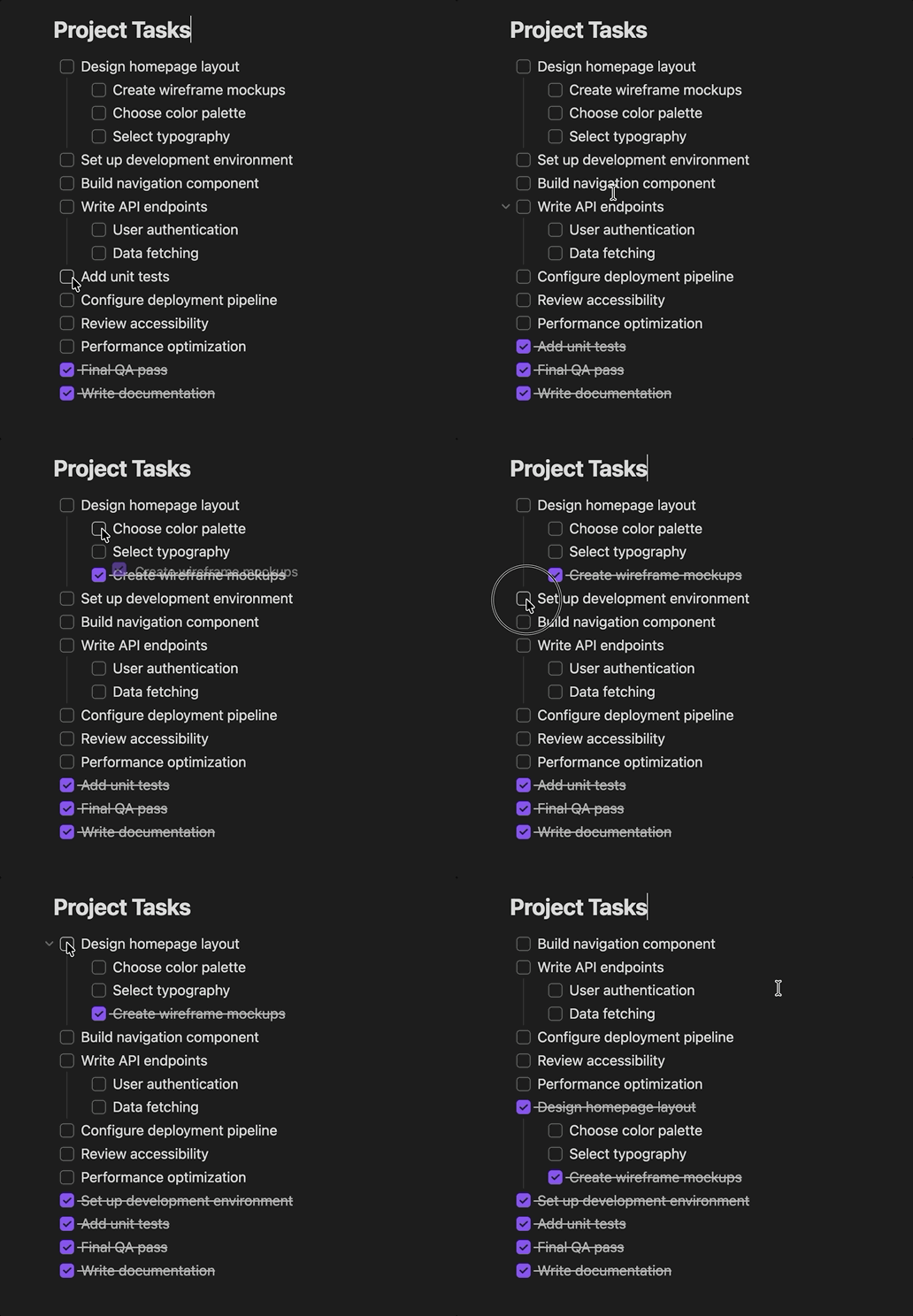
An Obsidian plugin that replicates Apple Notes' "Automatically sort checked items" behavior: when you check off a to-do item, it automatically moves to the bottom of the list so your focus stays on what's left to do.
Features
- ✅ Auto-reorder — Checked items slide to the bottom of their checkbox group
- 🪆 Nesting-aware — Items with sub-items move as a group, and indented items reorder within their own level
- ✨ Smooth animation — A ghost of the checked row visually slides to its new position
- ↩️ Clean undo — Cmd/Ctrl+Z undoes both the check and the move in one step
Installation
Manual
- Download
main.jsandmanifest.jsonfrom the latest release - Create a folder called
checkbox-reorderin your vault's.obsidian/plugins/directory - Place both files inside it
- In Obsidian, go to Settings → Community Plugins and enable "Checkbox Reorder"
From source
git clone https://github.com/tom-un/obsidian-checkbox-reorder.git
cd obsidian-checkbox-reorder
npm install
npm run build
Then copy the folder (or symlink it) into your vault's .obsidian/plugins/ directory.
Development
npm run dev    # Watch mode — rebuilds on file changes
npm run build  # Production build
License
MIT