
README file from
GithubObsidian Auto Link Creator
An Obsidian plugin that automatically creates links and notes from your writing. Unlike other linkers that only replace text matching existing notes, this plugin suggests new links — driven by list templates, repeated phrases, and NLP keyword detection — and shows you a preview before applying anything. Supports aliases, pluralization, and works great alongside obsidian-automatic-linker.
Features
Template-based linking
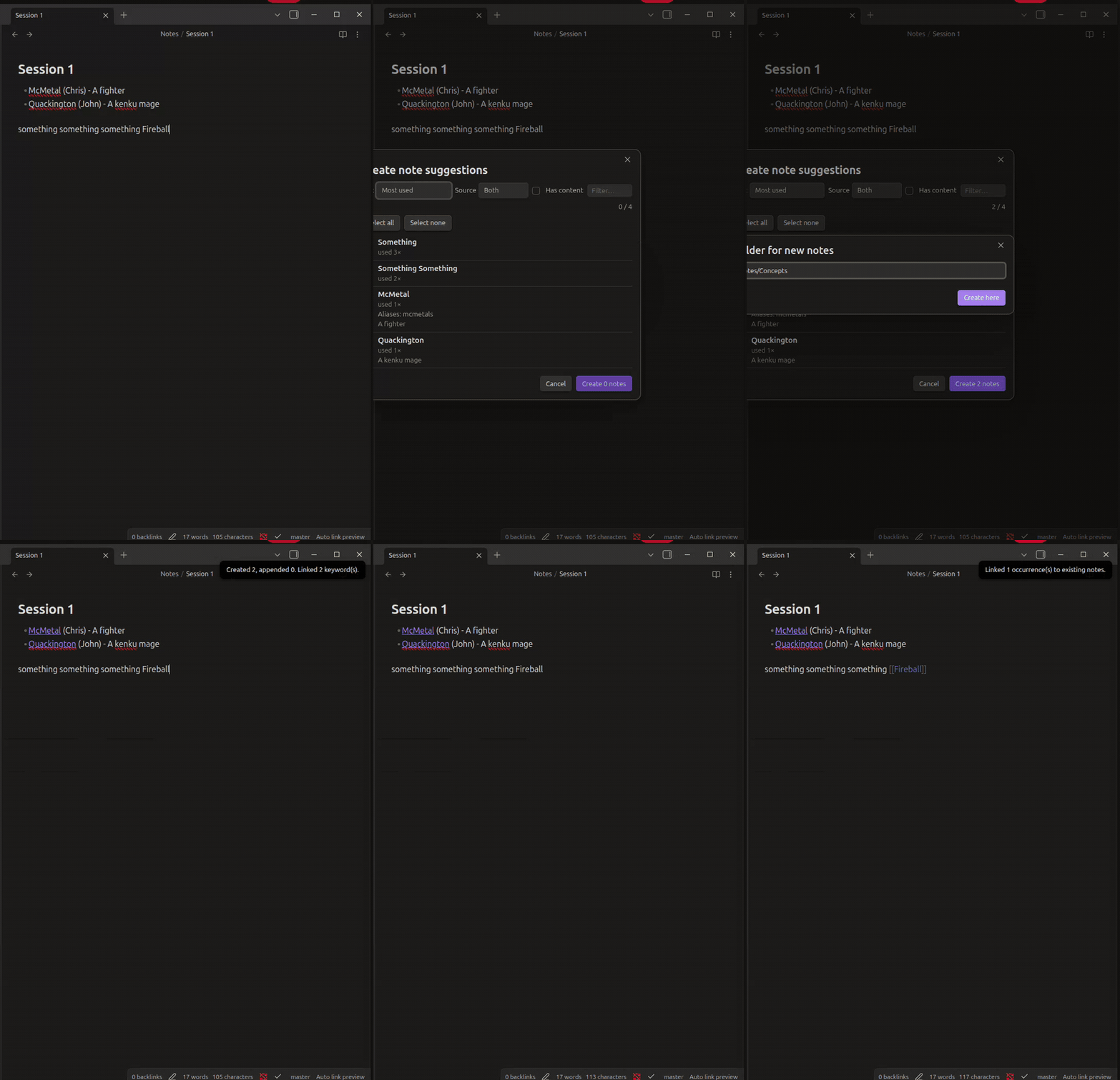
Write definition lists using templates; the plugin turns them into wiki links and creates the target notes with content.
Default templates (configurable, first match wins):
- {{Link Name}} ({{Link Alias}}) - {{Link Content}}
- {{Link Name}} ({{Link Alias}})
- {{Link Name}} - {{Link Content}}
Example input:
- Risk Appetite - Level of risk accepted by a company in terms of quantity and severity.
- Access control systems (ACS)
  - Identification
  - Authentication
  - Authorization
Result:
- [[Risk Appetite]] - Level of risk accepted by a company in terms of quantity and severity.
- [[Access Control Systems|ACS]]
  - Identification
  ...
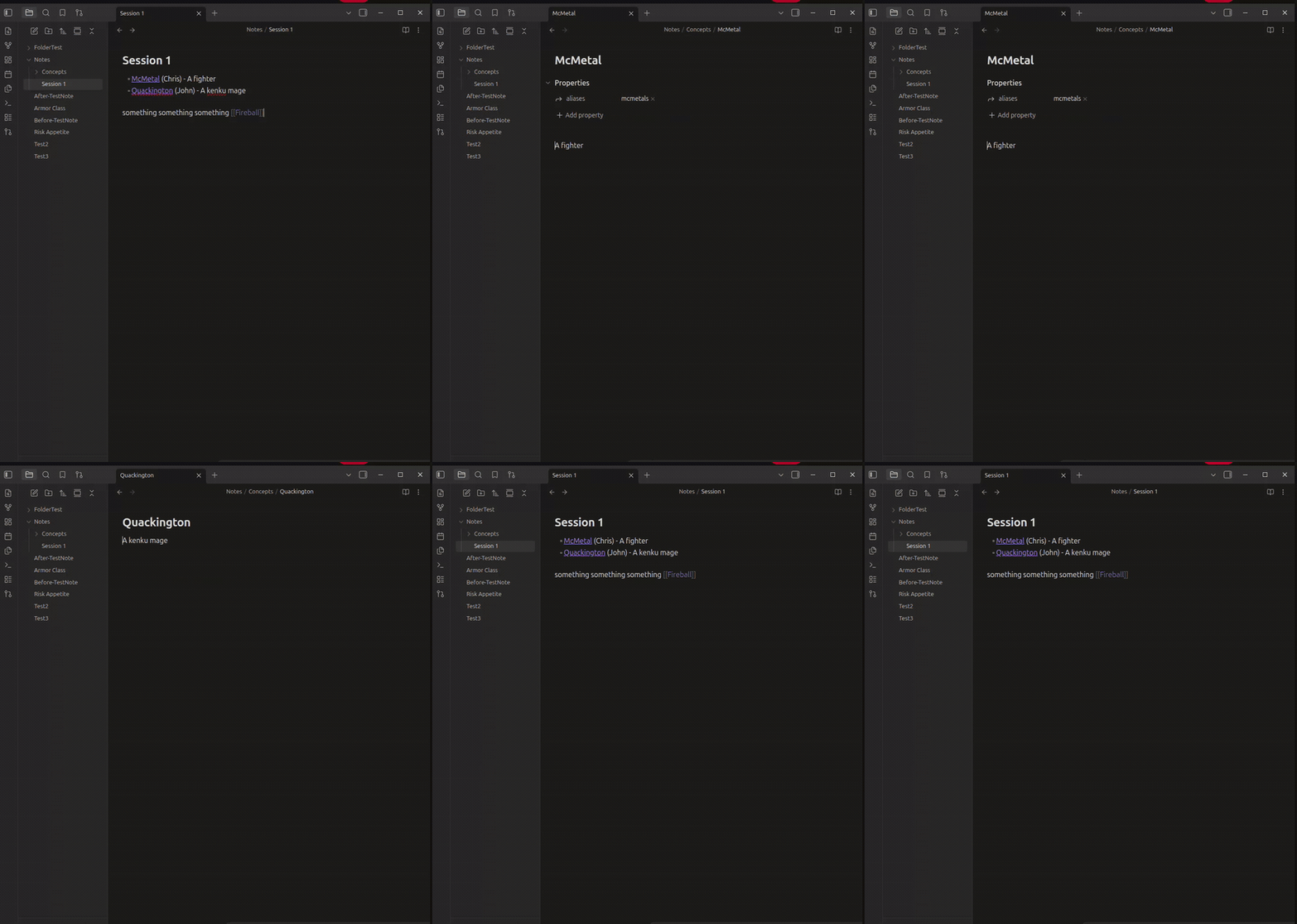
A note Risk Appetite.md is created containing the content, plus an acs alias on Access Control Systems.
NLP keyword detection
Scans note prose for repeated phrases worth linking:
- Frequency counting with stop-word removal (plus your own extra stop words)
- Lemmatization and singularization:
Cow⇄Cows,Party⇄Parties,Changed/Changing→Change - Variants are added as aliases so all forms resolve to the same note
- Code blocks are skipped
Linking to existing notes
Instead of only creating new notes, the plugin can detect phrases that match existing note names or aliases and link them — either by exact text match or by NLP root/variant match (cows links to a note named Cow).
Preview before applying
Destructive operations go through a preview modal first: see every suggested link, which file it came from and why it was suggested, select/deselect items, then apply. Undo is supported (updated notes can be opened in background leaves for native Ctrl-Z rollback).
Commands
| Command | Description |
|---|---|
| Process current file and preview links | Scan active note, preview suggested links |
| Process current file without preview | Apply directly (respects settings) |
| Link existing notes in current file | Only link phrases matching existing notes |
| Process whole vault and preview links | Scan all notes, batch preview |
With Link on save enabled, the active note is processed automatically when saved.
Settings
- Templates — line patterns with
{{Link Name}},{{Link Alias}},{{Link Content}} - Keyword sources — enable/disable template-based and NLP-based keywords; add extra stop words
- Ignore code blocks
- Link on save, Open files for undo
- Capitalize names — capitalize each word of note names/link text
- Existing notes — enable, choose exact vs NLP-root matching, optional on-save trigger
New notes are created in the same folder as the source note (or the highest common folder / vault root in vault-wide runs). If a note already exists, its content is appended instead.
Installation
From community plugins
- Open Settings → Community plugins → Browse.
- Search for Auto Link Creator.
- Click Install, then Enable.
Manual install
- Download
main.js,manifest.json, andstyles.cssfrom the latest release. - Copy them into
<Vault>/.obsidian/plugins/auto-link-creator/. - Reload Obsidian and enable the plugin in Community plugins.
Or via BRAT: add AutumnEvans418/Obsidian-Auto-Link-Creator as a custom repository.
Development
npm installnpm run dev— watch buildnpm run test— unit tests (node --test)npm run lint/npm run build— lint + typecheck + production bundle
License
0-BSD — see LICENSE.