
README file from
GithubAtrium™ for Obsidian
Learn more at atrium-md.com →
Install
- In Obsidian, open Settings → Community plugins. If Restricted mode is on, turn it off.
- Select Browse, search for Atrium, then select Install and Enable.
- Select the house icon in the ribbon, or run Atrium: Open from the command palette.
The first time Atrium opens, a short tutorial walks you through a sample page. Run Atrium: Open tutorial to see it again. To make Atrium your home page, turn on Open on startup in Settings → Atrium.
Getting started
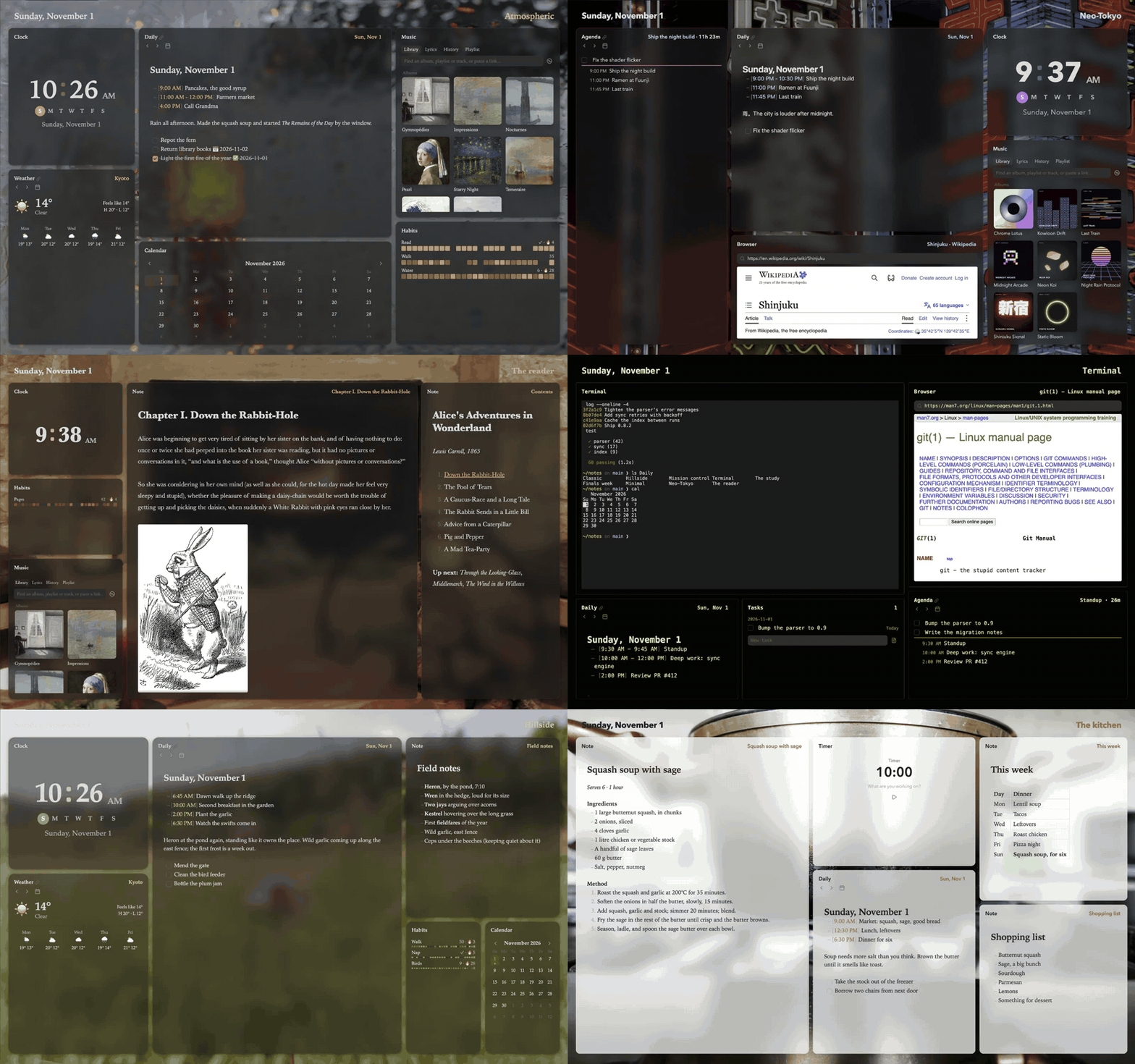
- A page of cards. Atrium shows your day as cards that fill the page as tiles. Each card is a module, such as your daily note, your tasks or a clock.
- Add a card. Click a dotted line between cards, or pick out a card and press ⇧A, then an arrow for the side it goes on.
- Arrange them. Drag a card by its header to move it, and drag its edges to resize it. Right-click a card, a header or the page for everything you can do there.
- Keys. Press ? to see the shortcuts for where you are. Every action is also a command in the command palette.
- Workspaces. A workspace is a page with its own cards and background. Point at the workspace's name at the top right to show the others, then click one to switch to it, or + to make a new one.
- Your notes stay notes. Atrium reads what it shows from your notes and writes changes back to them, in formats other plugins read too.
- Atrium Complete. Cards marked ● below need a license. Start a 30-day trial from Settings → Atrium.
Each module's page in the guide explains its settings and keys.
Modules
Atrium has 21 modules. Each name links to its page in the guide.
Modules marked ● are part of Atrium Complete.
Programs Atrium runs
On desktop, three cards start other programs on your computer through Node's child_process. To show only what works on your computer, Atrium first checks which of these programs are installed, with /bin/sh.
- Terminal runs your shell in the card, through Python 3 or
expect. - Calendar events (macOS) read and edit the Calendar app's events through
atrium-calendar, a small helper, each time a card shows them. Without it, Atrium reads events from icalBuddy if you have it installed. - Dictation and spoken commands (macOS) turn speech into text through
atrium-speech, a small helper using Apple's speech recognition. A spoken command can ask Claude Code, in a terminal card, if you turn that on.
Both helpers are built from the Swift source in helper/ and attached to each GitHub release. On a Mac, Atrium downloads them from GitHub once per version into its plugin folder and marks them executable with chmod.