
README file from
GithubConnect for Atlas VTT
Compatible with Atlas VTT 0.15.0 to 0.18.0. Needs Atlas VTT 0.15 or later. With Tabletop for Atlas VTT, it needs Tabletop 1.9.0 (the same fusion release).
Atlas VTT 0.16's drawings and texts: a drawing or text you hide from your players in Atlas is never sent to them (the scene, a cutscene, a split party, a shared map). Filled shapes (solid or soft, with their holes), lines of no width and stamps by any pin symbol, turned, reach players as Atlas draws them; dashed lines, arrowheads and a text's outline look not yet.
Connect for Atlas VTT is a community extension. It is not made, endorsed or supported by Atlas VTT or Atlas Online. Support: issues.
Play Atlas VTT maps online with your group. You host from Obsidian; players join from a web page or from their own Obsidian. No accounts, no server to run.
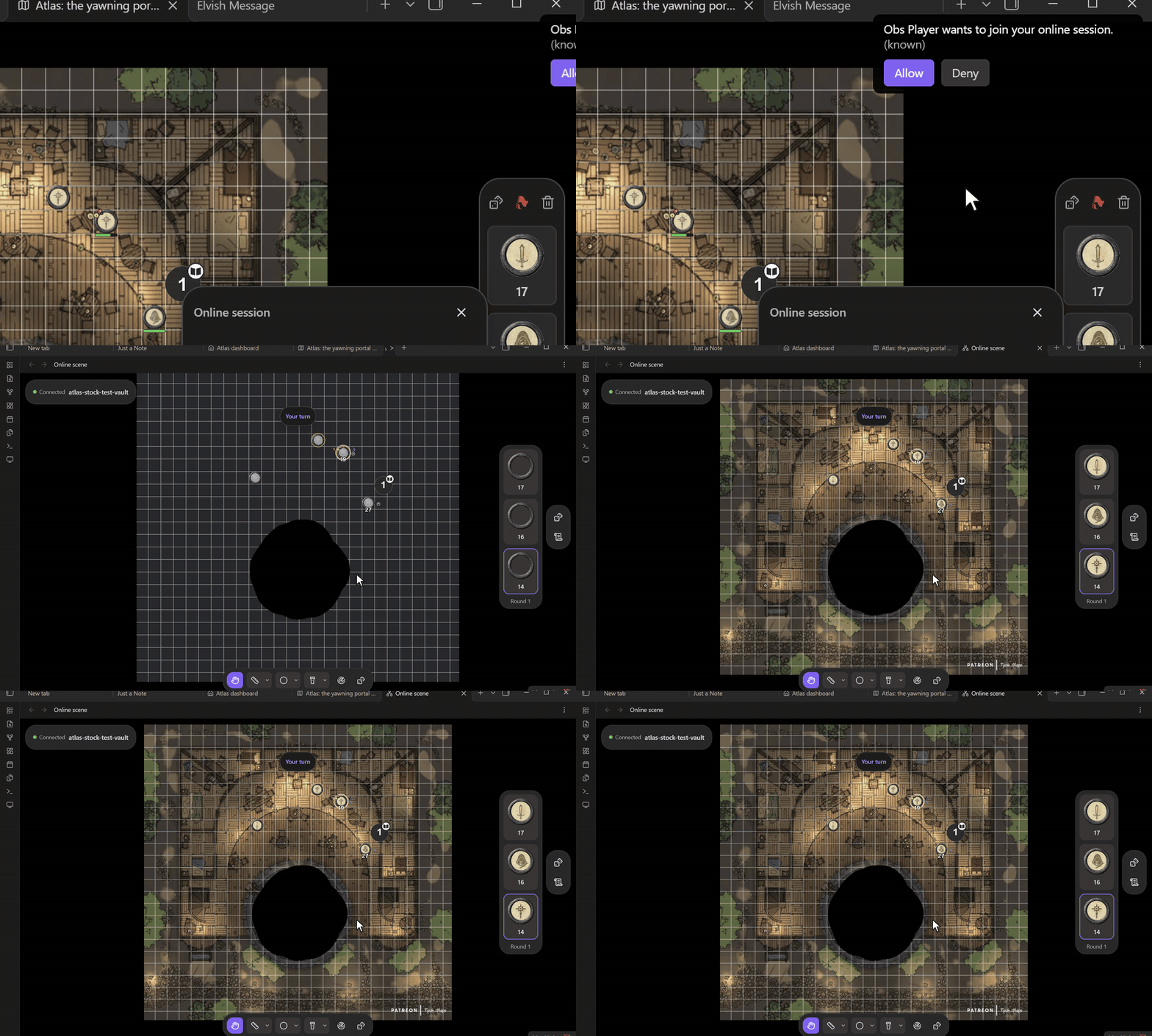
It changes nothing in Atlas, and it is not Atlas Online: players connect through the servers listed under Servers and privacy.
Install
- Obsidian 1.8.7 or newer, on desktop.
- Settings → Community plugins → Browse: install and enable Atlas VTT, then Connect for Atlas VTT.
Updating to 0.5.0: the GM and every player in Obsidian should update together (Settings → Community plugins → Check for updates). The web join page updates by itself. Players on an older version still get a text sheet, without Atlas's card.
Start a session (GM)
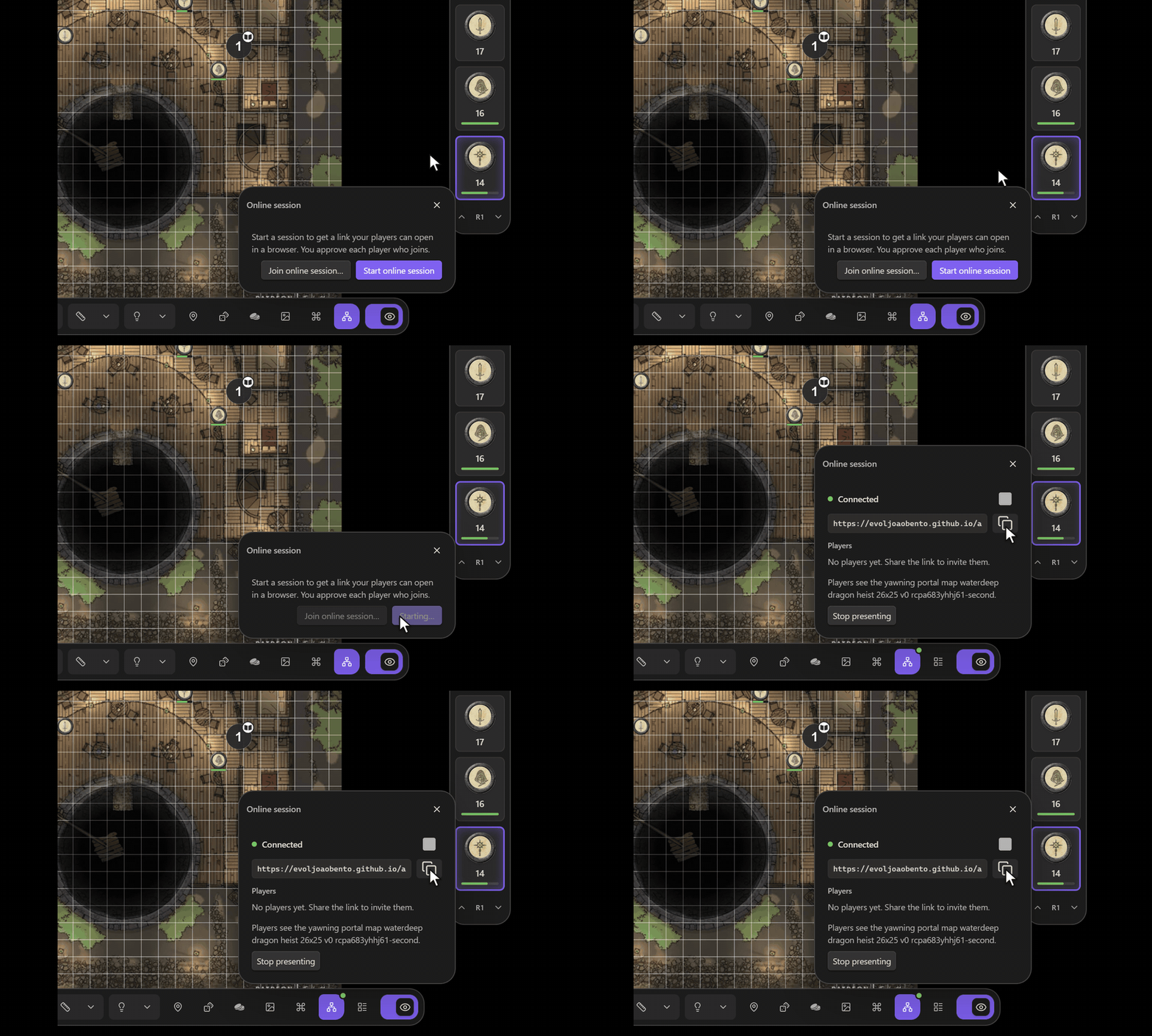
Open a map, click Online session in Atlas's toolbar, then Start online session and Copy link. Send the link to your players.
When a player asks to join, a notice says so: Allow or Deny.
The panel lists who is connected. × sends a player out (they must be allowed again); Stop online session ends it for everyone.
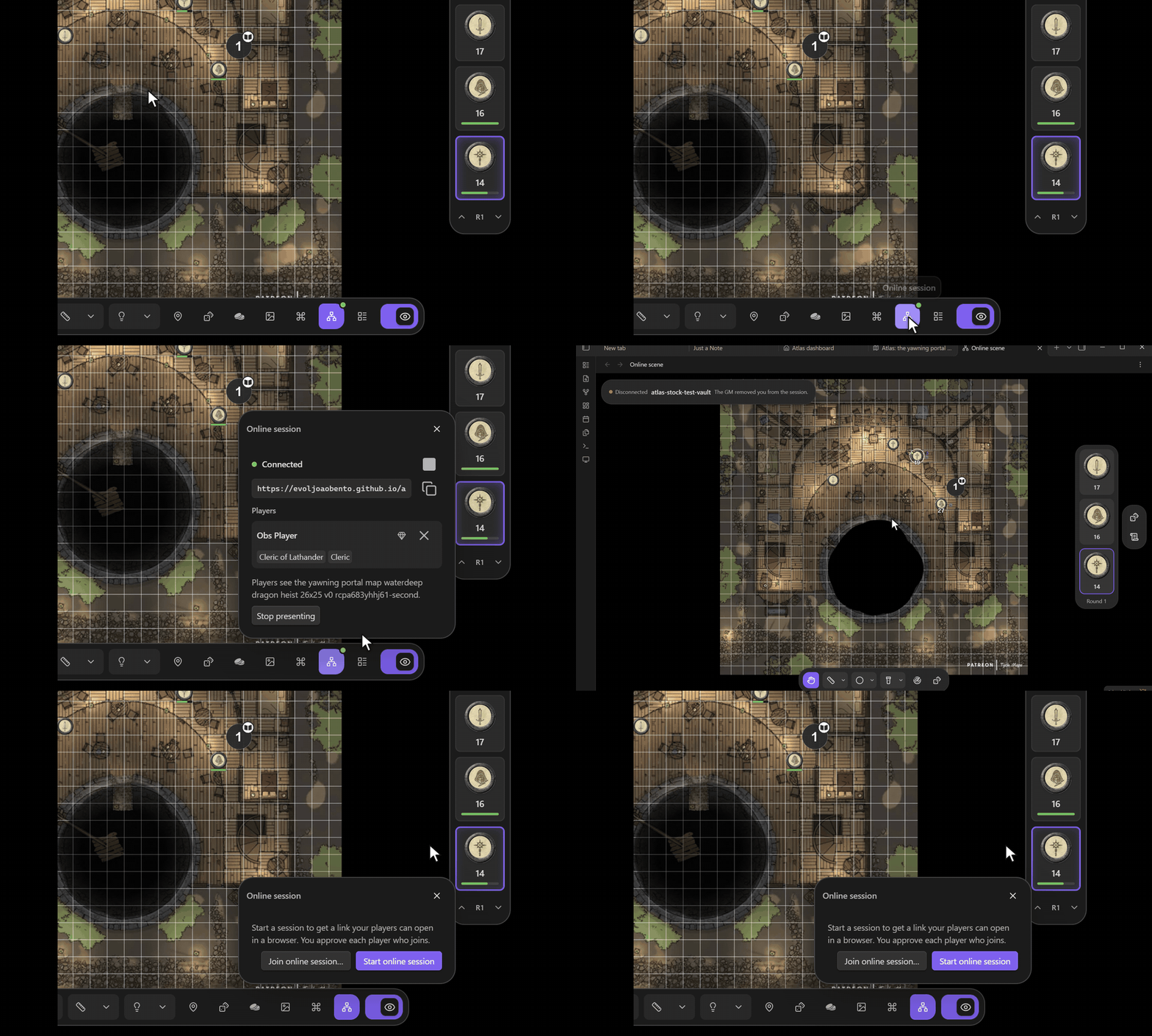
A player who reconnects from the same browser or Obsidian takes their old place without asking again. If someone joins with a name already in the session from another device, the request warns you.
Join (players)
From a browser: open the link, type your name (tick Remember this name to skip it next time), click Join and wait for the GM.
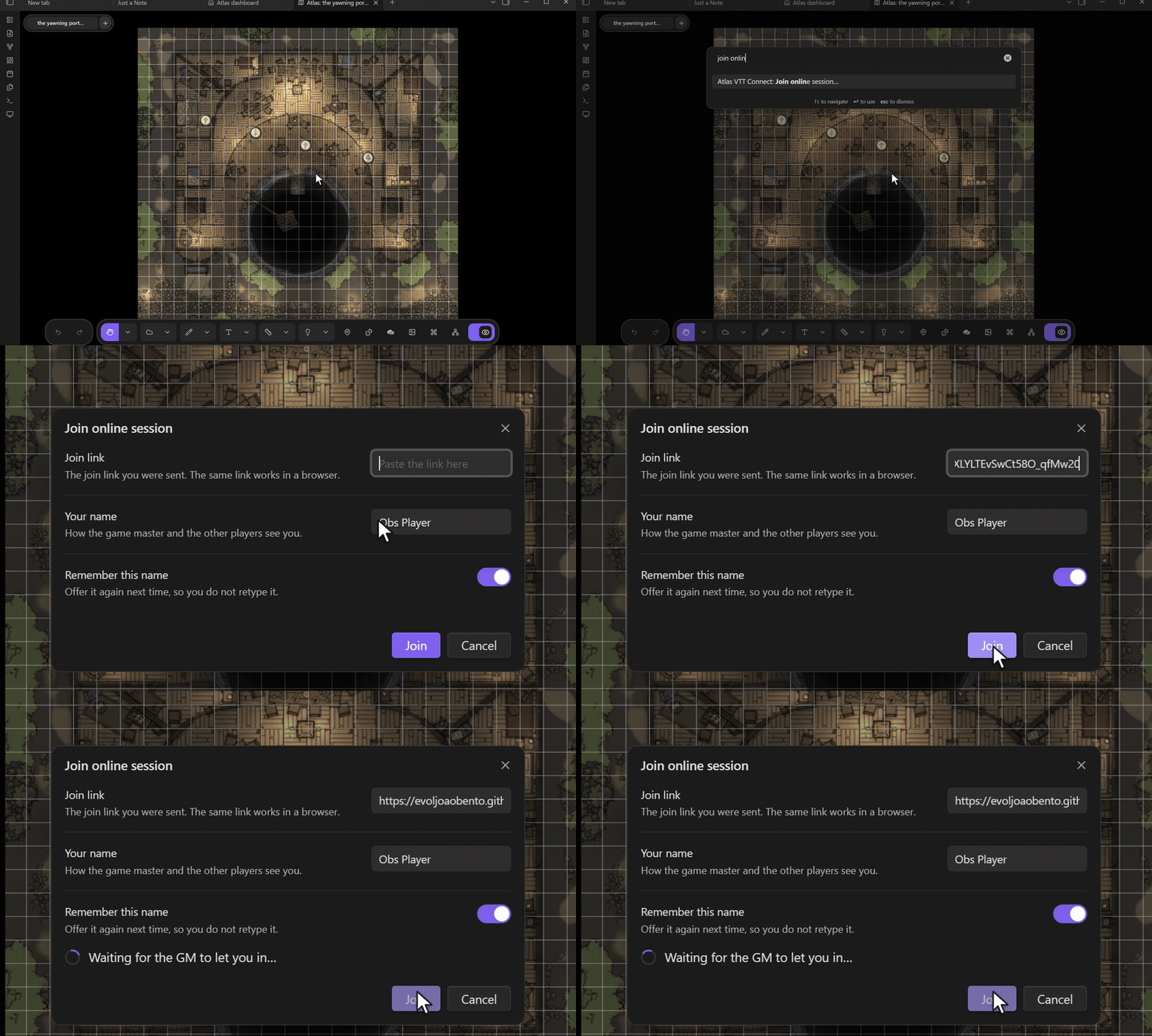
From Obsidian: install Atlas VTT and Connect, run Join online session…, paste the link and click Join. The scene opens in its own tab. Keep Connect on the same version as your GM's.
What players see
Players see the scene you present, as Atlas's own player window shows it: hidden tokens, fog and line of sight stay hidden, and your map's look (rings, grid style, pin icons, numbered look-alike tokens) carries over.
Present a scene: click the eye on its scene tab; players' maps fade over to it.
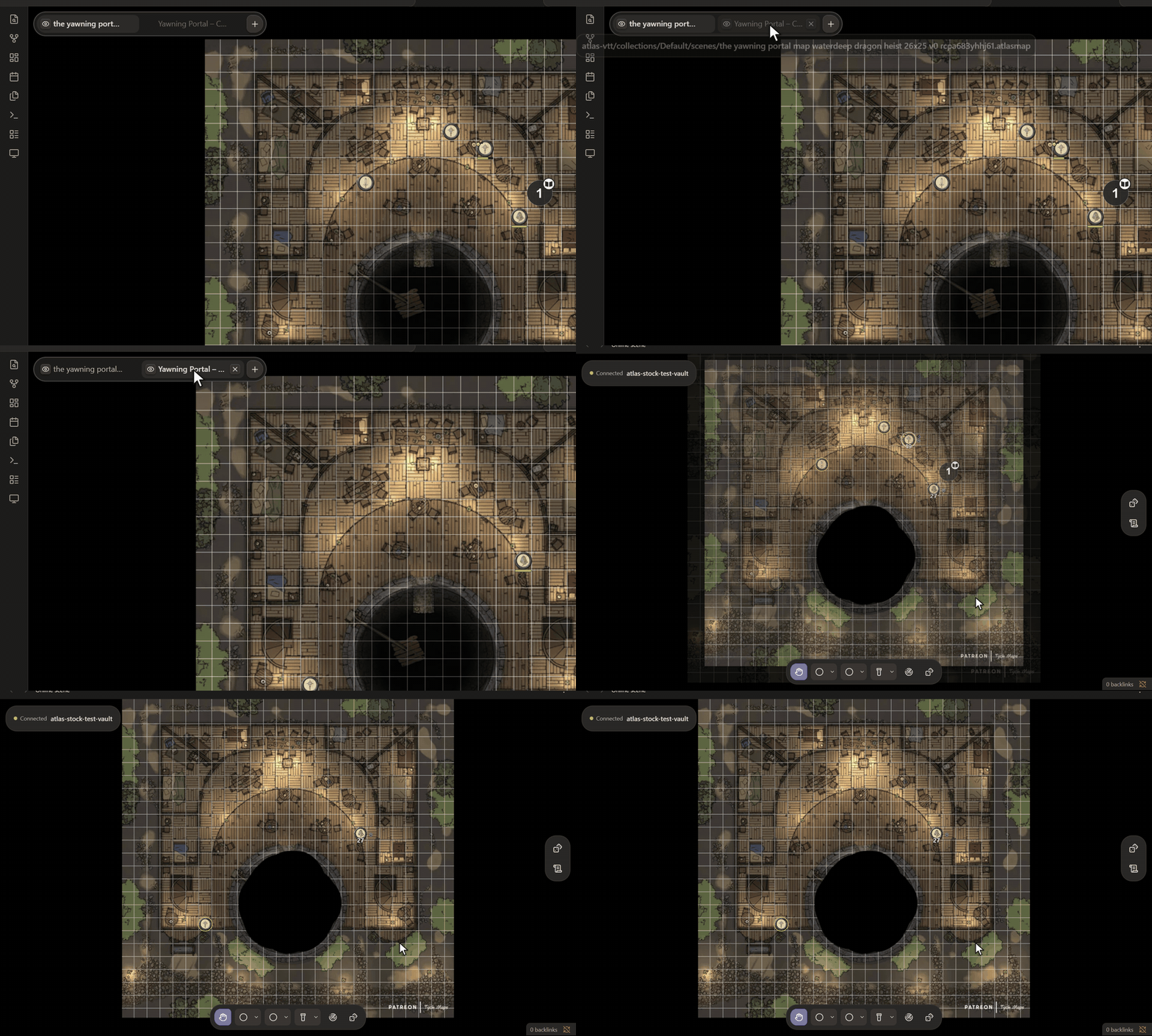
Hidden stays hidden: hide a token and it is gone from players' maps.
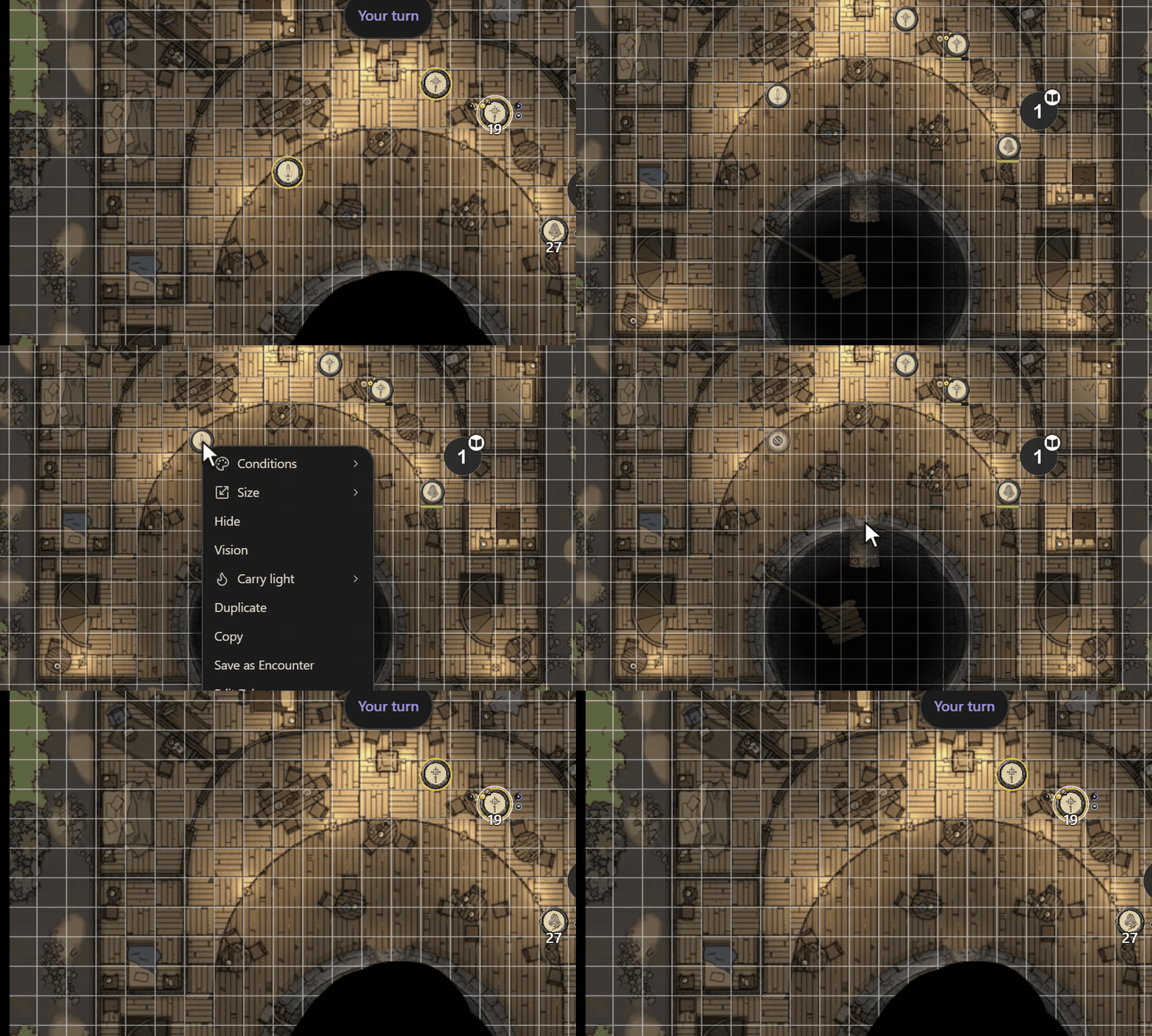
Dynamic lighting: with Atlas's dynamic lighting experiment on, players see only what their tokens see, plus the places they explored.
Token height and movement (Atlas 0.15): players see each token's height, and on Tabletop's board it stands that high. Where your collection has movement steps, a player dragging one of the party's tokens reads the move against its speed, "20 / 30ft", in the colour of the step it lies in, as your Atlas reads it (its own speed, its statblock's or the collection's). Other tokens' speeds are never sent. The drag shows its distance only when your Atlas setting says so (always, only in a fight, never). What a token already moved this turn is not added yet.
Tabletop's 3D board: with the Tabletop for Atlas plugin, players in Obsidian can see the scene on its 3D board: walls, doors (hung as you turned them with Rotate 180° or Mirror), lights, props, your daylight tint, and the other scenes stacked with it (Tabletop's elevation layers: each floor with its walls, doors, lights and props, at its height and place). Players never get what is on a stacked scene (tokens, pins, notes, fog), and a stacked scene is not hidden by its own fog; Show layers to Connect players in Tabletop's settings turns it off. Both plugins should be updated together.
Health bars, per token
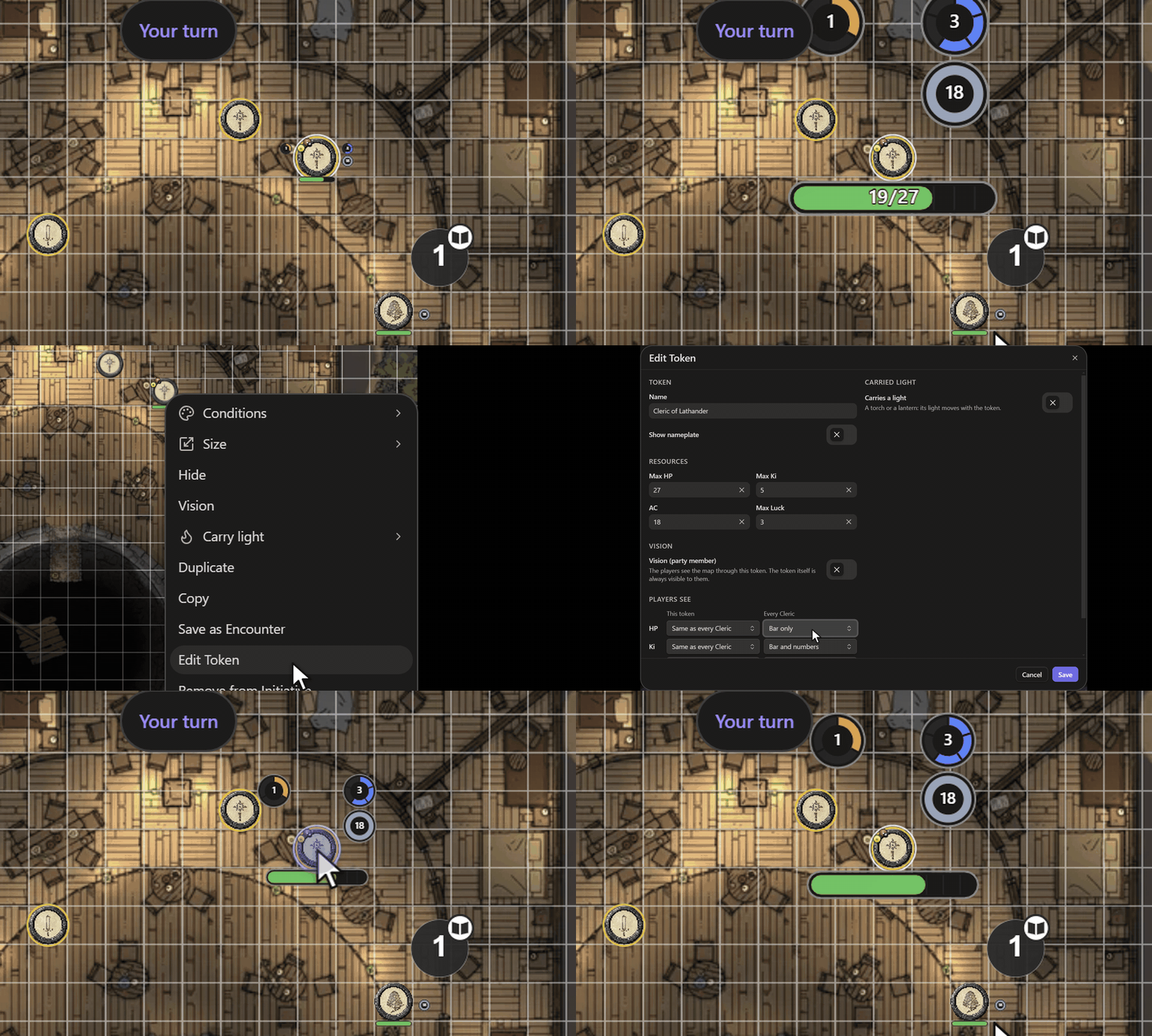
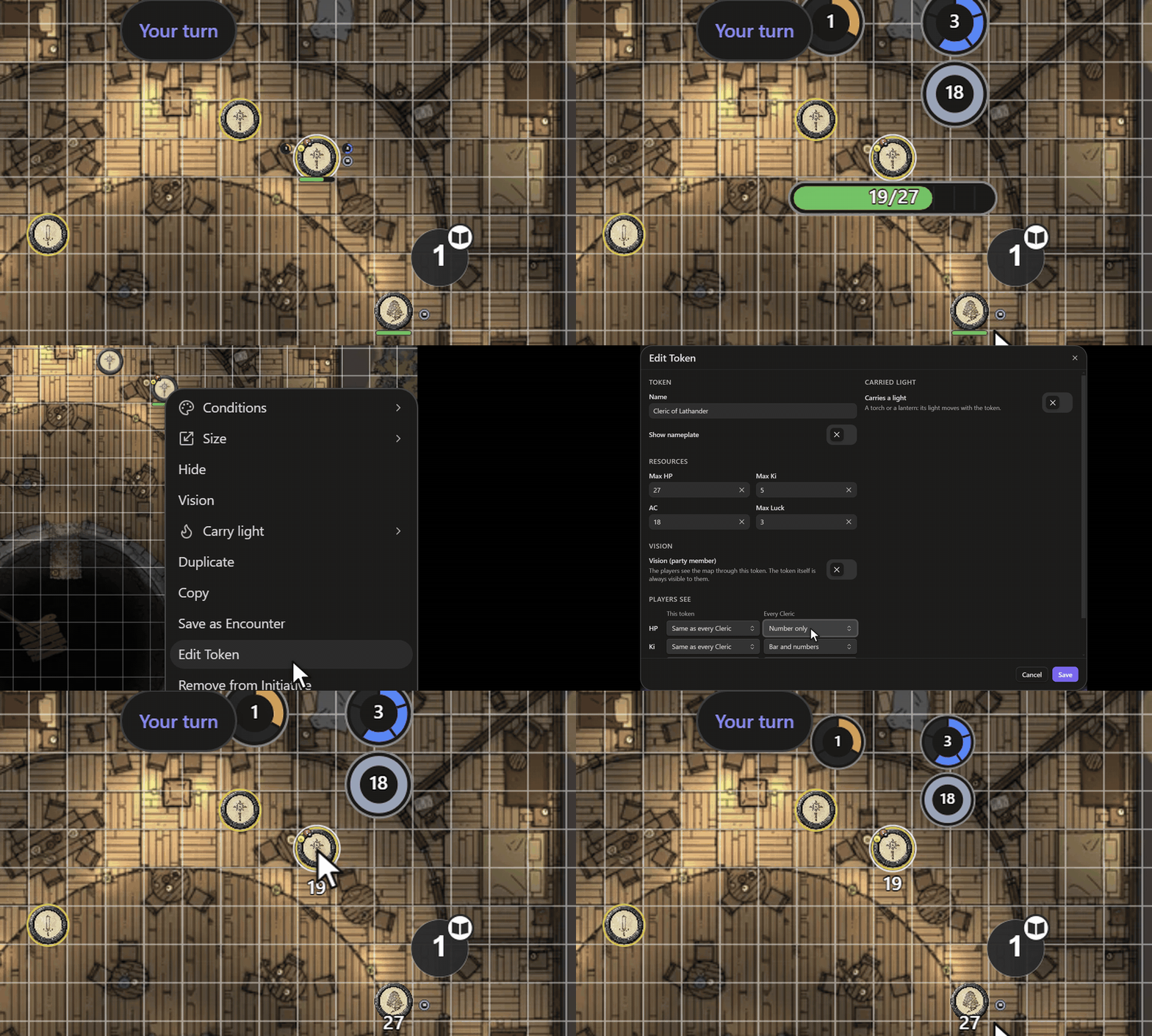
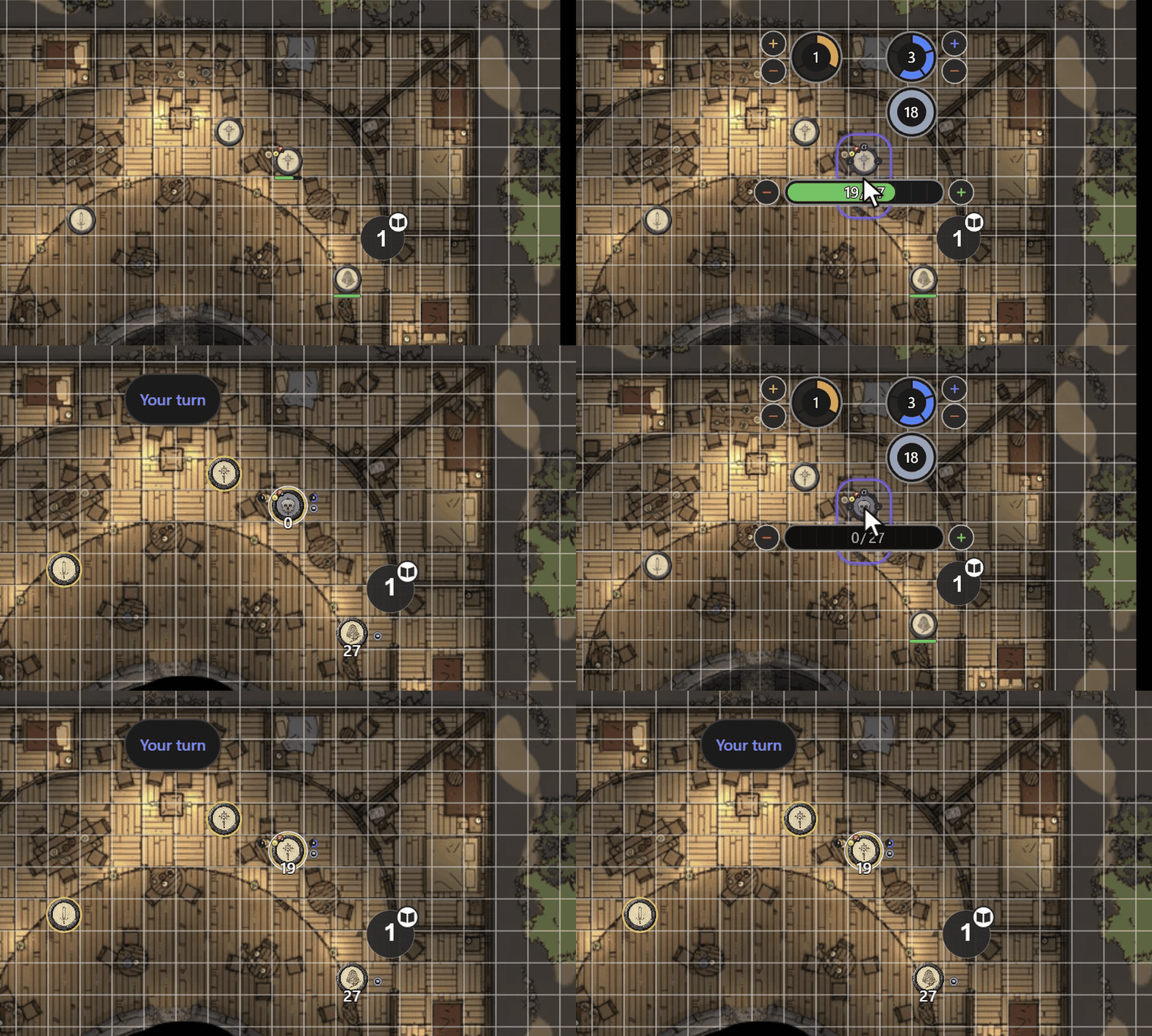
Resources a collection marks visible to players (its settings, Resources) show as bars and small wheels on tokens. To choose per token, right-click it → Edit Token → Players see. Each resource gets two choices, applied on Save:
- This token, or Every Cleric (every token with that statblock, on every map). The token's choice wins over its statblock's, which wins over the collection's.
- Bar and numbers, Bar only, Number only (the current value alone: 19, never 19 / 27) or Hidden.
Bar only: players see how full it is, not the numbers.
Number only: players read the current value under the token.
Choices are kept with your vault, so you can set them while preparing. A token at 0 is greyed under a skull, and comes back when healed:
Whose turn
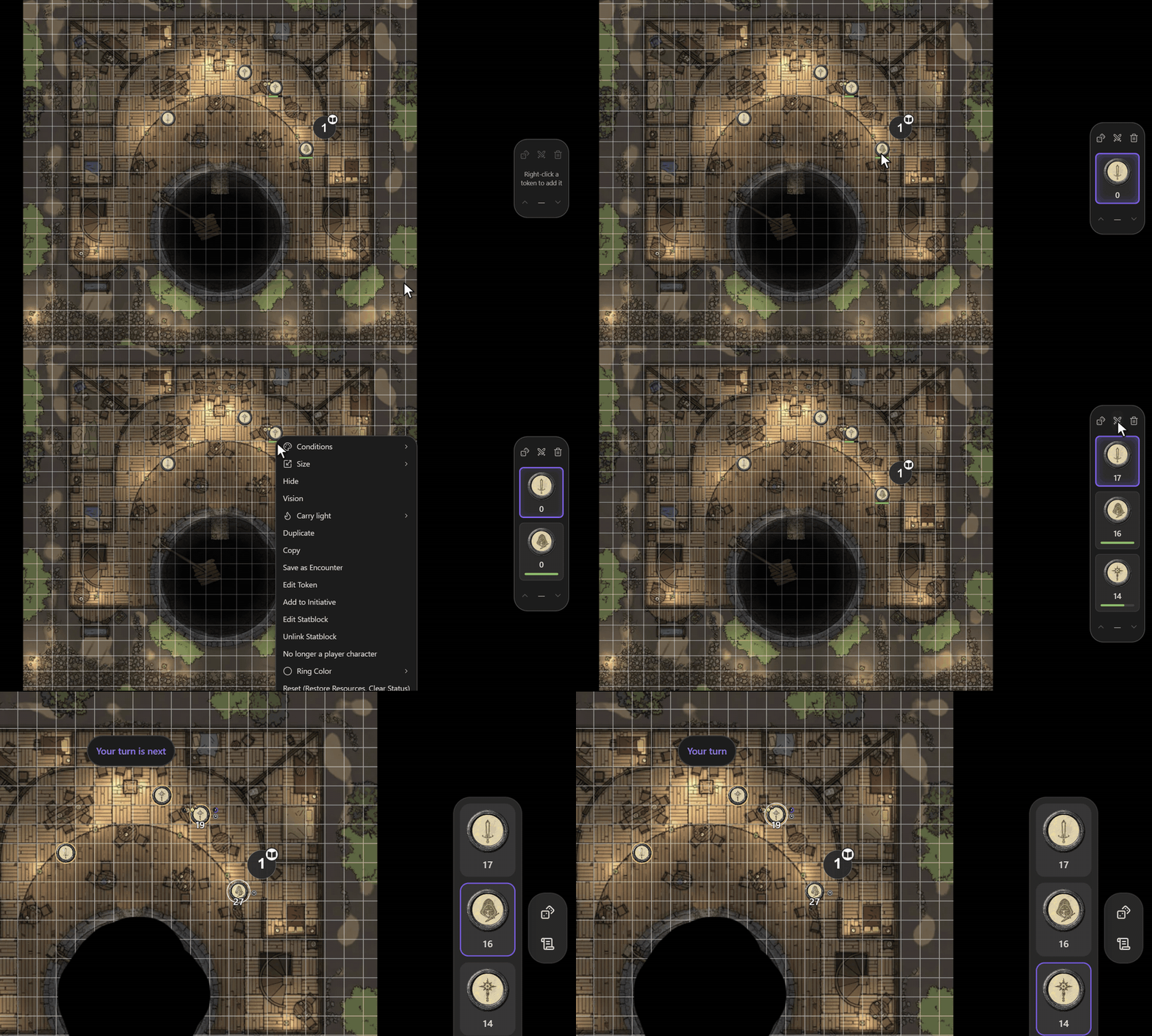
Right-click tokens → Add to Initiative, roll, and Start combat in Atlas's tracker. With the initiative list shown to players, they get the order at the right of their map, "Your turn is next" on the turn before theirs, and "Your turn" with a white ring when it comes. As in Atlas Online (0.18), players see art only: the list never shows initiative numbers, dealt cards or sides' rolls, which stay on your screen. Combatants you hide from players in the tracker are not sent, and the players you add in the collection's Party tab and enemies you add by name are listed (on the players' and the opponents' side). With "Players move only on their turn" on, the hold lasts the whole fight, even with the tracker closed or the list hidden from players.
Readable pins
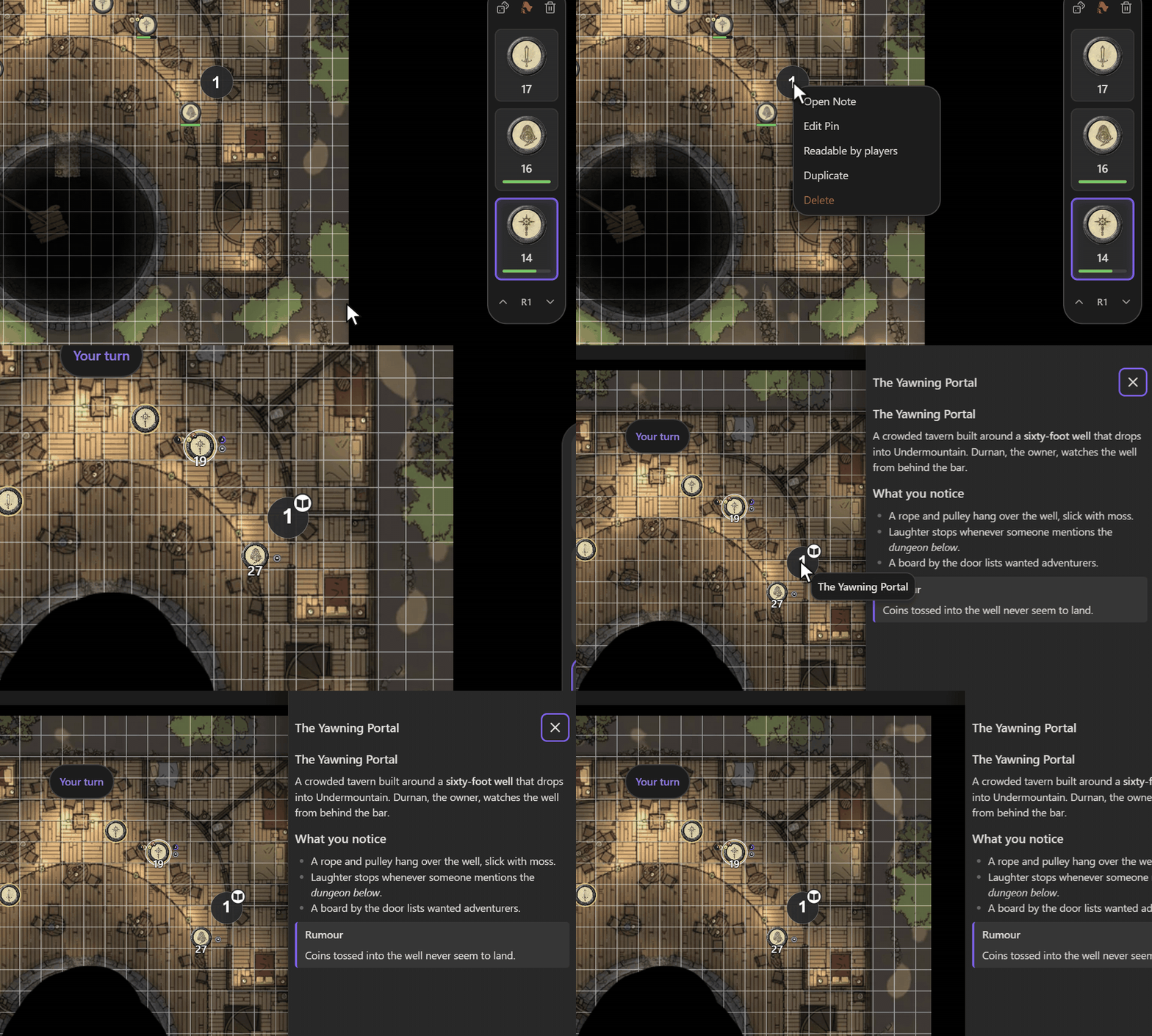
Right-click a note pin → Readable by players. Players see it where they can see that spot, and clicking it opens the note in a side panel: the whole note, or only the heading the pin links, without frontmatter, your %% %% comments or embeds.
Hand over tokens
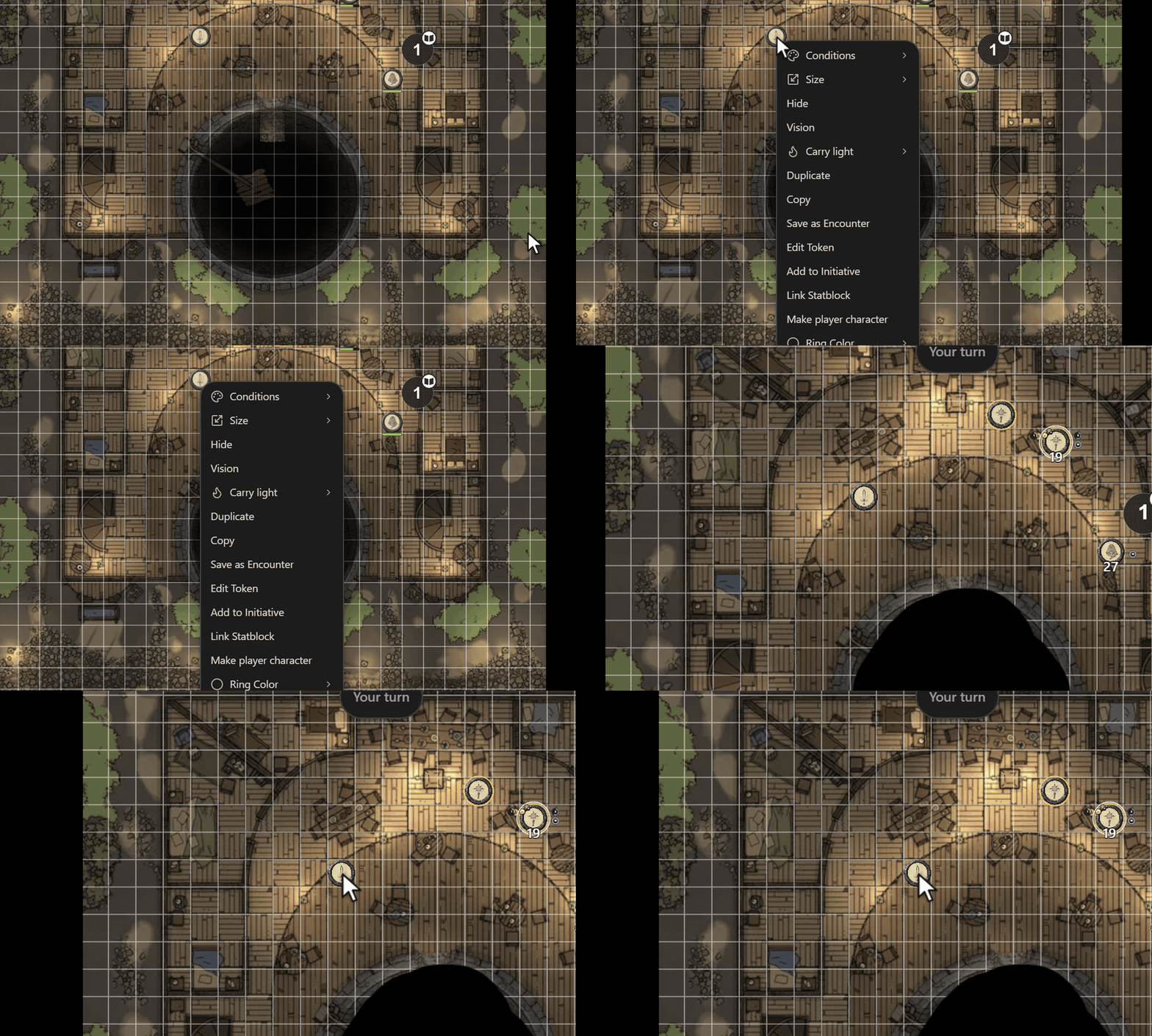
Right-click a token → Controlled by → tick the player. They can drag it (yellow ring); moves snap to your grid, stop at walls on a lit scene, and are refused while you drag.
Players see the stat block of every token they control, with exact numbers, and roll from it; the roll is made by your Atlas and logged under their name. Mind that this includes a monster you hand to a player. In Obsidian they see Atlas's own card for the token, in their own theme; stat blocks made with Atlas templates show their template's fields, without the hidden ones.
Connect remembers who you gave each token to, by the player's name, and gives it back when they rejoin, in this session or a later one (only while exactly one player of that name is at the table). Untick them to make it forget.
Player characters: mark a token as a player character in Atlas, then give it with Controlled by. Connect gives that player the character on every scene, wherever it is placed.
At the table (players)
Sheets and dice
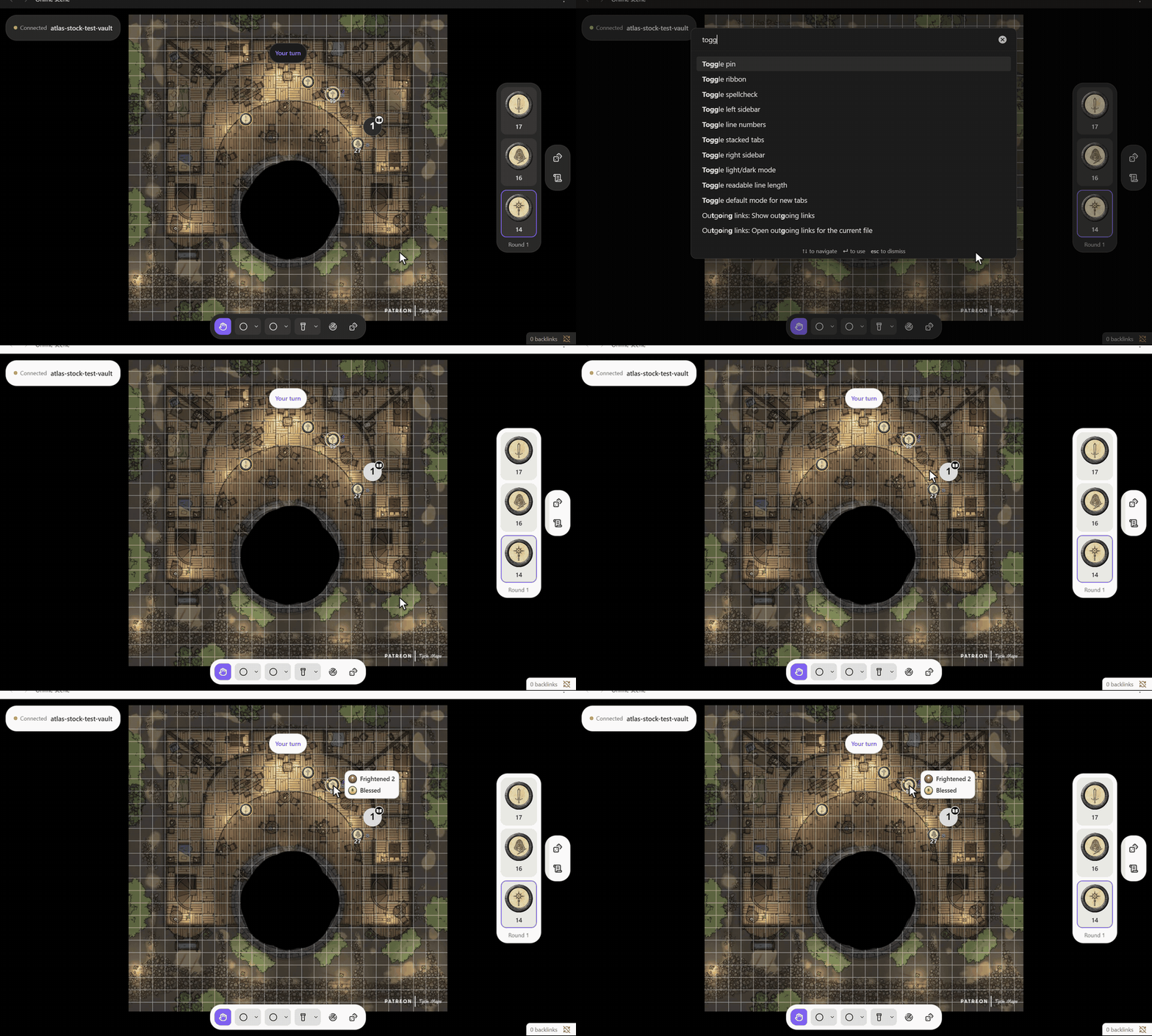
Connect follows Obsidian's light or dark theme:
More for the GM
Hide the map
While you host, run Hide the map from players to black out every player's screen (it toggles: run it again to show the map). Players get no map, tokens, fog, initiative or images while it is down, and the data is not sent at all. With Atlas 0.12 or later, Atlas's own Hide the map in the player window bar does the same for your online players too.
Show an image
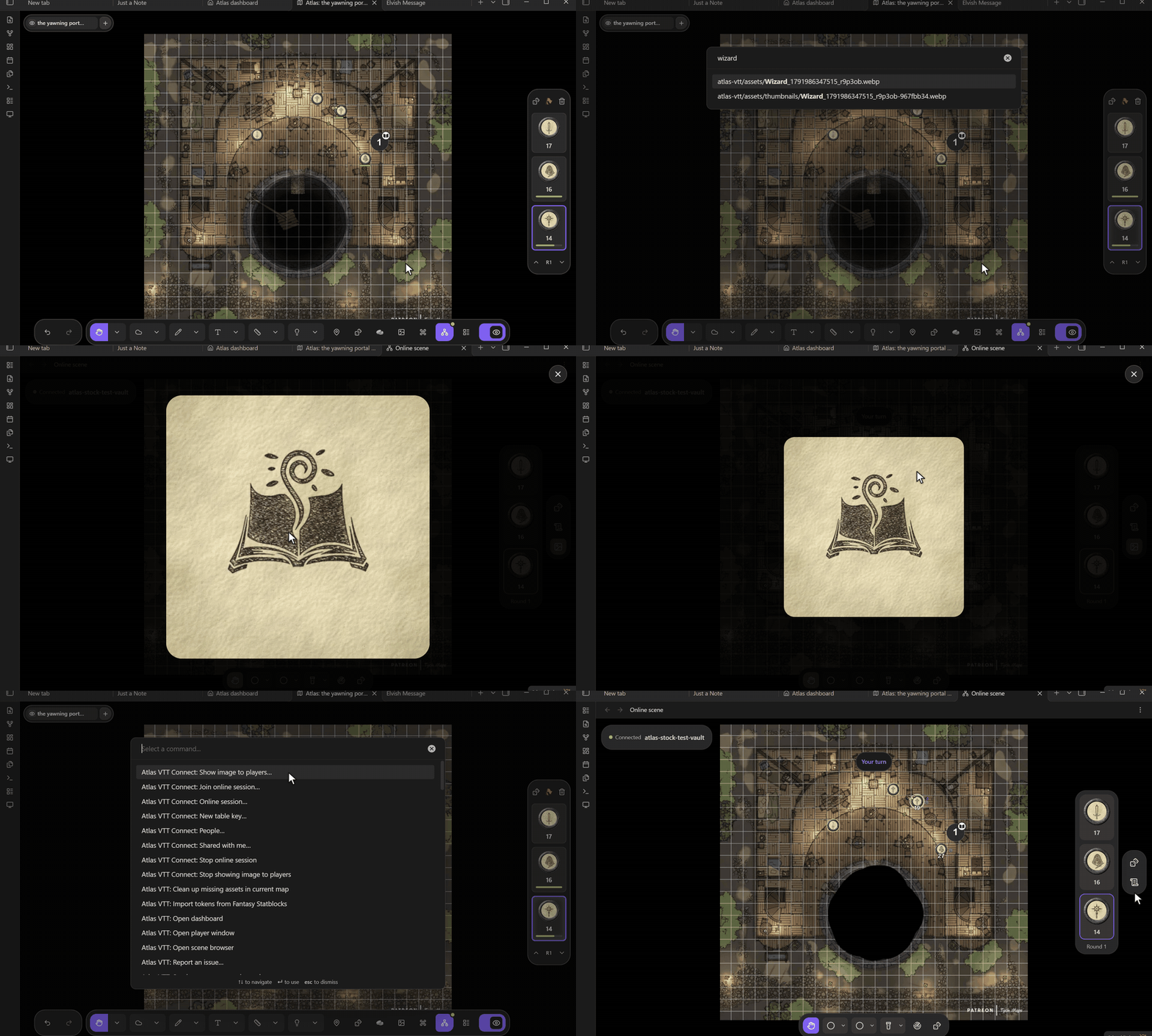
Run Show image to players… and pick an image. Players can zoom, pan, close and reopen it; Stop showing image to players takes it away.
Split the party
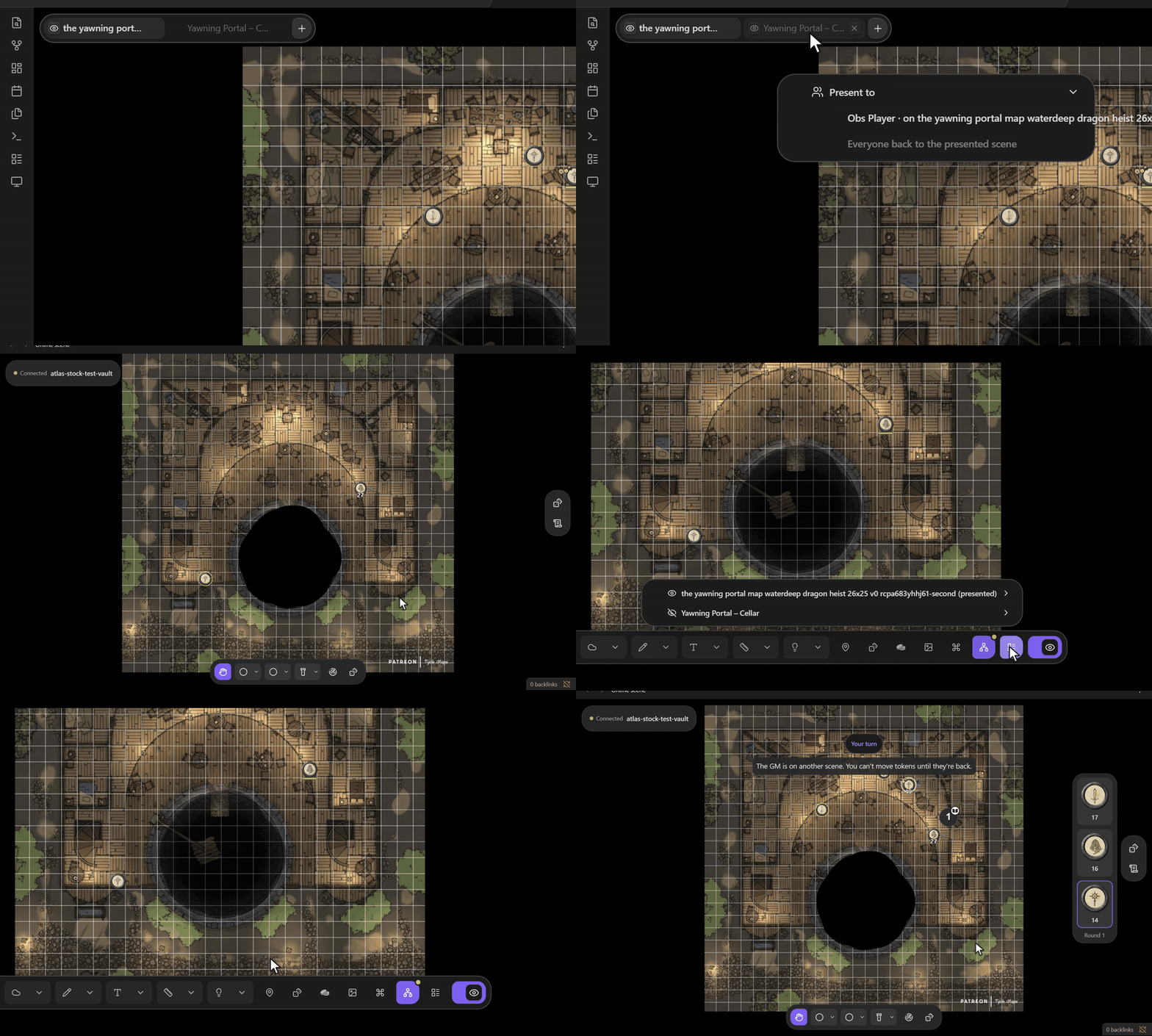
Right-click a scene tab → Present to → tick players to show them that tab. Scenes in Connect's toolbar buttons lists every tab the same way, and Everyone back to the presented scene brings them all back. Up to 4 scenes at once; players on a tab you are not on keep its last view.
Send a note
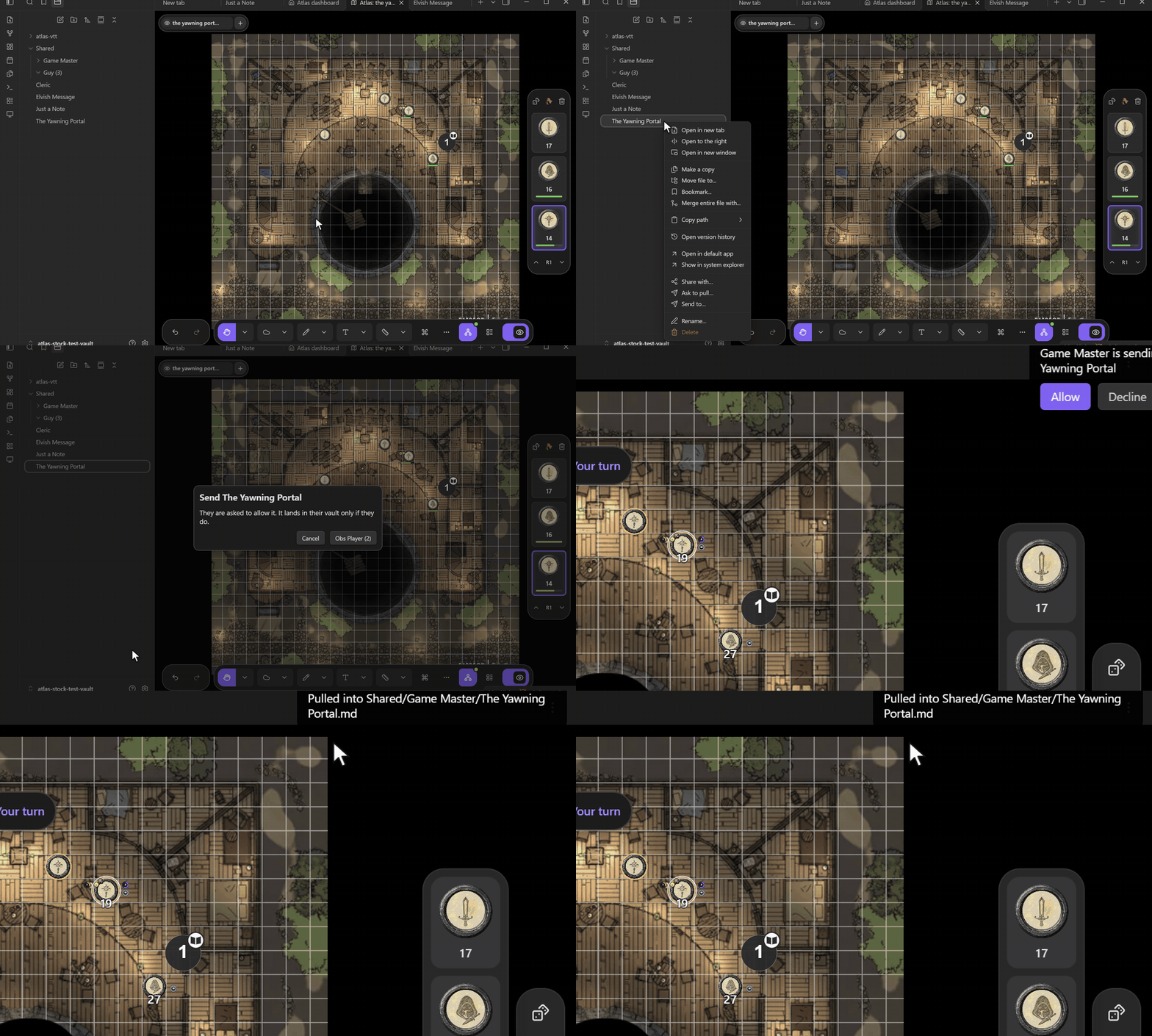
During a session, right-click a note → Send to… and pick anyone who plays in Obsidian. They are asked to Allow or Decline; allowed notes land in Shared/<sender>/. Players can send notes too, to the GM or each other. Parts you keep private (part tags) stay out.
Settings
Settings → Connect for Atlas VTT:
- Signaling server / My own server: how players find your session. The default works.
- Relay (TURN) servers: add one if players can't connect from strict networks (some offices, schools, mobile data).
- Player page: the web address in join links. Leave the default unless you host your own (see DEVELOPING.md).
- Keep online images on this device: a player's Obsidian keeps map images, so the next session loads faster.
- Log online play events: writes a diagnostic log to the console, for bug reports.
What doesn't work yet
On Atlas from Community plugins, Connect reads what Atlas leaves reachable, so a future Atlas release can break parts of it.
- Footprints of tokens seen in the dark aren't shown to players, and edges of sight are a little rougher than in Atlas's window.
- A map with a stretch-fit grid may not line up for players. Running timers show their last saved value. Atlas's marks and pings aren't relayed.
- Templates show their size to players only; the GM sees them without the label.
- Sharing maps and per-collection rules need an Atlas build with the extension API, which no released Atlas has yet. Notes are shared on any Atlas (Send to…, Share with…, Shared with me…).
Servers and privacy
Connect uses these servers:
- PeerJS cloud signalling (
0.peerjs.com) to connect players, unless you set your own server; - the STUN server
stun.l.google.com:19302, to find a direct route; - the player page at
evoljoaobento.github.io/atlas-vtt-connect; - any relay servers you add.
The game itself goes directly between you and your players. Details in PRIVACY.md.
Coming from the online play preview
If you used the fork of Atlas VTT with online play built in, Connect takes over its settings, people and shares on its first start. A map someone shared with you before arrives once as a second scene, e.g. "Inn (2)", the next time it is updated; after that, updates replace it as before.
Developing
Building, testing and releasing: DEVELOPING.md.
Licence
AGPL-3.0-only, see LICENSE. Connect contains code from Atlas VTT (AGPL-3.0-only, © Fabian Urbanek) and open-source packages; credits in THIRD_PARTY_NOTICES.md.