
README file from
GithubVeynrel
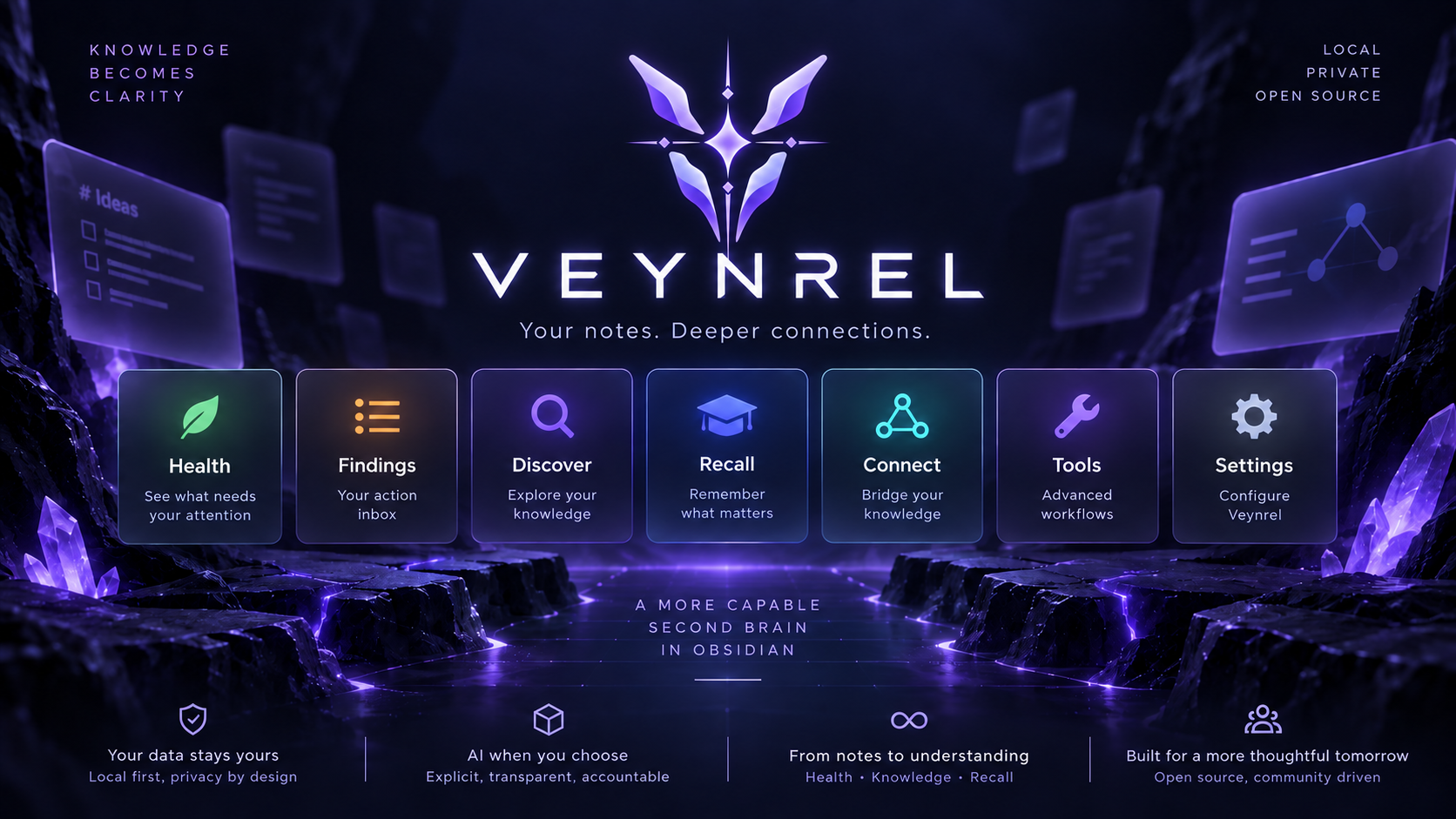
As your knowledge base grows, Veynrel helps you understand its state beyond folders and search results. Three primary concepts guide the workspace:
- Health surfaces broken links, structural problems and disconnected areas as reviewable findings.
- Discover offers semantic search, semantic neighborhoods and the Global Semantic Map.
- Recall provides native FSRS-6 spaced repetition.
Local Health and Recall work without an AI provider. Semantic and language-model features are optional and only run when explicitly configured and used.
A look inside
Veynrel 2.0.1 in Obsidian. Select an image to inspect it at full size.
Quick start
- Install Veynrel, then use its ribbon icon or Open Veynrel Health command.
- Choose a profile and run local Health. Inspect the recommendation and Findings; no AI provider is required.
- Optionally enable Semantic Intelligence: choose an embedding provider/model, test the connection and explicitly build the first index.
- Open Discover to explore Semantic Neighborhood, Global Semantic Map and Connection Opportunities.
- If you want spaced repetition, add flashcards and choose Find flashcards in Recall.
- Configure Deep Intelligence for Knowledge Health or advanced AI workflows, and Connect for Companion, only if needed.
One workspace
Health | Findings | Discover | Recall | Connect | Tools | Settings
| Page | What you can do |
|---|---|
| Health | See Vault Pulse, recommendations, four dimensions of knowledge health and Vault Topology. |
| Findings | Review evidence and decide what to address, dismiss or revisit. |
| Discover | Search by meaning, explore semantic maps and inspect connection candidates. |
| Recall | Review your flashcards with native FSRS-6 scheduling. |
| Connect | Configure Companion, synchronize its mirror and review external proposals. |
| Tools | Launch advanced audits, Ask your Vault, batch processing and MOC generation. |
| Settings | Check capability state and configure the services you use. |
Health and Findings
Vault Pulse → recommendation → current data. Health shows concrete Findings and coverage instead of an opaque 0–100 score, across four dimensions:
- Structure: broken links, orphan notes, weak structure and disconnected areas.
- Connections: explicit relationships, exact duplicates and semantic duplicate findings.
- Recall: cards due for native review.
- Knowledge: explicit AI-assisted signals about underdeveloped notes.
The current-data dashboard brings findings, last-check information, Recall and Knowledge state together. Vault Topology lets you inspect actual Markdown links in a map with note details. The local Health scan requires no AI.
Findings is your action inbox. Review evidence, open affected notes, dismiss, snooze or reopen a Finding. Supported checks automatically resolve findings when a subsequent analysis confirms the issue has disappeared.
Discover by meaning
- Search & find: semantic search, related notes and potential semantic duplicates.
- Visual exploration: Semantic Neighborhood, Global Semantic Map with selected-note focus, and Connection Opportunities.
- Semantic Health: explicitly check for semantic duplicates and review the resulting Findings.
These features reuse the existing semantic index. Similarity is a discovery signal, not proof that notes are identical or agree.
| Relationship view | What it shows |
|---|---|
| Vault Topology (Health) | The Markdown links you actually created. |
| Semantic Neighborhood | One note and its closest semantic neighbors. |
| Global Semantic Map | The whole eligible indexed semantic space, within the current map limit. |
| Connection Opportunities | Semantic top-5 relationships compared with explicit Markdown links. |
Global Semantic Map
Distance from the center reflects semantic similarity to the current center: closer means more similar. The default center is the vault semantic core; any mapped note can explicitly become the focus, with a simple reset to the core.
Node size reflects semantic connectedness, not importance or note quality. Map exploration reuses existing embeddings and makes no new embedding requests. See the map guide for details.
Connection Opportunities
Inspect connection candidates with semantic evidence beside the Markdown relationship:
| Category | Meaning |
|---|---|
| Candidate | A semantic top-5 relationship with no known Markdown link in either direction. |
| Aligned | A semantic top-5 relationship that also has Markdown linkage. |
| Explicit-only | A Markdown-linked pair outside the sparse semantic top-5 graph. |
Explicit-only does not mean semantically unrelated. Candidates are invitations to inspect, not proof that a link should exist. Coverage notices identify relationships that could not be compared.
Review aids include mutual top-3, mutual top-5 and one-sided evidence; shared semantic neighbors; and an optional Hide Excalidraw notes presentation filter. Mark a candidate Useful / Not useful / Unsure during the current session. These annotations are not persisted, and no Markdown links are created automatically.
More: Connection Opportunities · candidate evidence and review.
Remember with Recall
Native spaced repetition uses FSRS-6, a due queue and local scheduling. No third-party spaced repetition plugin is required.
Write one Question::Answer card per line under a Markdown heading named exactly Flashcards (case-sensitive):
## Flashcards

What is retrieval practice::Actively recalling information instead of rereading it
Why use spaced repetition::It schedules reviews near the point of forgetting
Choose Find flashcards, start a review, reveal the answer and rate Again / Hard / Good / Easy (keys 1–4). Schedules survive restarts.
AI card generation is optional and explicit: it uses your configured language model and appends generated cards to the note for native Recall. Recall guide.
Connect, Tools and Settings
Connect works with the optional, self-hosted Veynrel Companion. It makes a synchronized mirror available to MCP clients for note reading, semantic search and change proposals. External agents cannot directly write your vault through the proposal workflow: you inspect each proposal in Obsidian and choose Approve or Reject.
Manual mirror sync requires confirmation. Enabling Connect also permits disclosed incremental synchronization after subsequent semantic changes. The mirror can contain Markdown, chunk text, metadata and embeddings; use an endpoint you trust. Connect data flow and setup.
Tools keeps Ask your Vault, Deep Audit / Single Audit, batch processing, MOC generation and legacy reports available. Editor workflows—AI writing, selection transforms, Dataview generation and atomization—remain separate, through the command palette and editor context menu. Existing command IDs remain compatible with hotkeys and automation.
Settings summarizes Deep Intelligence, Semantic Intelligence, Connect and Recall. Native Obsidian Settings → Veynrel provides advanced provider/model, embedding, Companion, Deep Audit, output and interface controls.
Supported language-model providers include Ollama, OpenRouter, OpenAI, Groq and custom OpenAI-compatible endpoints. Embeddings support Ollama, OpenRouter and OpenAI-compatible endpoints. Language-model, embedding and Companion credentials are separate.
Local-first, explicit AI
| Activity | Where the work happens |
|---|---|
| Local Health and Vault Topology | On your device; no AI provider required. |
| Recall discovery and scheduling | Locally, using native FSRS-6. |
| Semantic indexing / search | A remote embedding provider receives required note chunks / the search query. A local Ollama endpoint can keep embedding work local. |
| Semantic maps / connection comparison | Existing index and link metadata; no new embeddings or provider calls. |
| Knowledge Health / AI workflows | Explicit actions send the content needed for the task to your configured language model. |
| Connect | The disclosed mirror goes to your configured Companion endpoint; proposed vault changes require Obsidian approval. |
Opening the workspace does not itself scan, build an index, call a provider or synchronize Companion. The first semantic build is explicit; later Markdown edits can update an existing index incrementally. A local vector index does not make a remote provider local.
Veynrel has no telemetry or analytics. Provider API keys are not sent to Companion, and the Companion token is not sent to AI providers. Review the policies of remote services before sending sensitive notes. Data-flow, storage and recovery details are in docs/.
Installation
Obsidian Community Plugins
- Open Settings → Community plugins → Browse.
- Search for Veynrel.
- Install and enable it.
Manual installation
Download exactly these three files from the same GitHub Release:
main.js
manifest.json
styles.css
Place them in:
<your-vault>/.obsidian/plugins/ai-knowledge-hub/
Reload Obsidian and enable Veynrel.
Updating
The plugin ID remains ai-knowledge-hub. Existing users update normally; do not create a second veynrel plugin folder. Compatible settings and feature data continue to use the existing plugin directory.
How it fits together
Obsidian vault
├─ Local Health → Findings
│                Vault Topology
├─ Semantic Index → Search / Related / Duplicates
│                   Semantic Neighborhood
│                   Global Semantic Map → Selected-note focus
│                   Connection Opportunities ← Markdown links
├─ Recall → FSRS-6
├─ Deep Intelligence → Knowledge Health / advanced AI workflows
└─ Connect → Companion / MCP → proposals → approval in Obsidian
Analysis may suggest. Veynrel shows evidence. You decide.
Current limitations
- The first semantic build and rebuilds after incompatible embedding-space changes are explicit.
- Global Semantic Map exact mode supports up to 500 eligible mapped notes; Connection Opportunities shares that limit.
- Connection Opportunities uses a sparse top-5 semantic graph. It cannot prove a Markdown link should exist; candidate reviews are session-only, not persisted.
- Recall has no decks, review-history views or optimizer analytics.
- Semantic search uses a local linear scan; duplicate detection uses pairwise comparison suited to personal vault sizes.
- Ask your Vault is a one-shot flow, and Knowledge Health is an AI-assisted review signal, not factual verification.
- Companion remains self-hosted, with no hosted Veynrel account service.
- Verification of the newer visual/native surfaces is strongest on Linux desktop. Mobile and other desktop environments are not equally covered for every surface.
Development and contributing
npm ci
npm test
npm run typecheck
npm run lint
npm run audit:proposals
npm run build
Veynrel and Companion are separate repositories. For integration development, clone Companion beside this repository as ../veynrel-companion, then run npm run companion:smoke-sibling.
See docs/ for architecture and storage contracts, or the final UI/UX audit for native verification and known interface limitations. Issues, bug reports and pull requests are welcome.
Support Veynrel
Veynrel is free and open source. Star the repository or support development on Boosty.
License
MIT © 2026 Zinvernix