
README file from
GithubAI Cloze Review
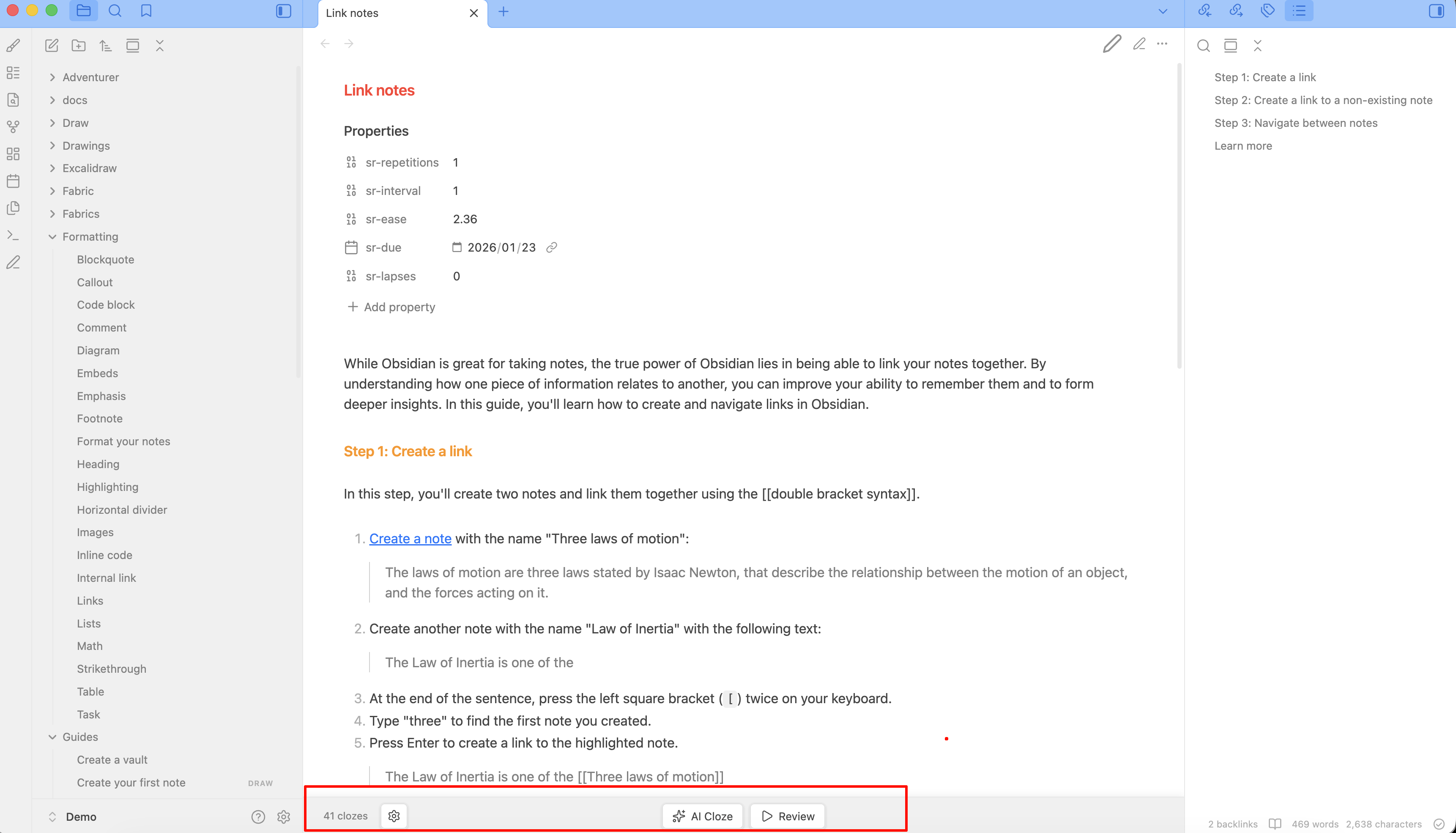
AI-powered cloze deletion review for Obsidian. One-click AI analysis generates fill-in-the-blank content, interactive review with click-to-reveal.
Features
- AI Cloze Generation — One-click AI analysis, automatically identifies key content and generates cloze deletions
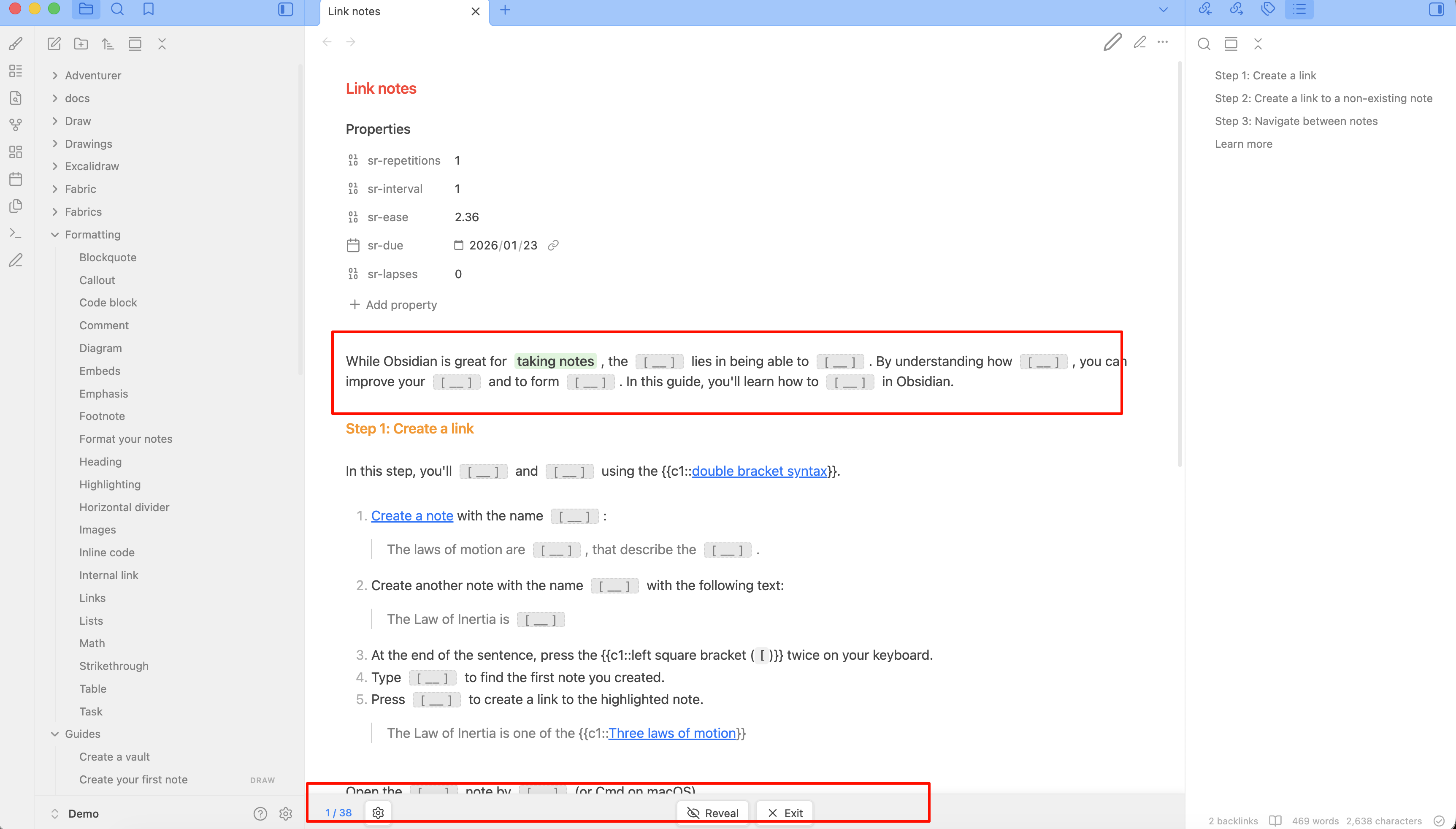
- Instant Review Mode — Hide cloze answers, click to reveal, track progress (revealed/total)
- Preserves Original Notes — All cloze content is cached in memory, your notes remain untouched
- Adaptive Density — Cloze count auto-calculated from note length and difficulty (Easy/Medium/Hard/Extreme)
- Bottom Toolbar — Quick actions: AI generate, toggle review, reveal/reset, exit review
- Readable Line Length — Respects Obsidian's readable line length setting
- Mobile Optimized — Compact layout with icon-only buttons on small screens
- Multi-API Support — OpenAI, DeepSeek, Zhipu, Moonshot, Ollama, and any OpenAI-compatible API
- i18n — Auto-detect Chinese/English, with manual override in settings
Usage
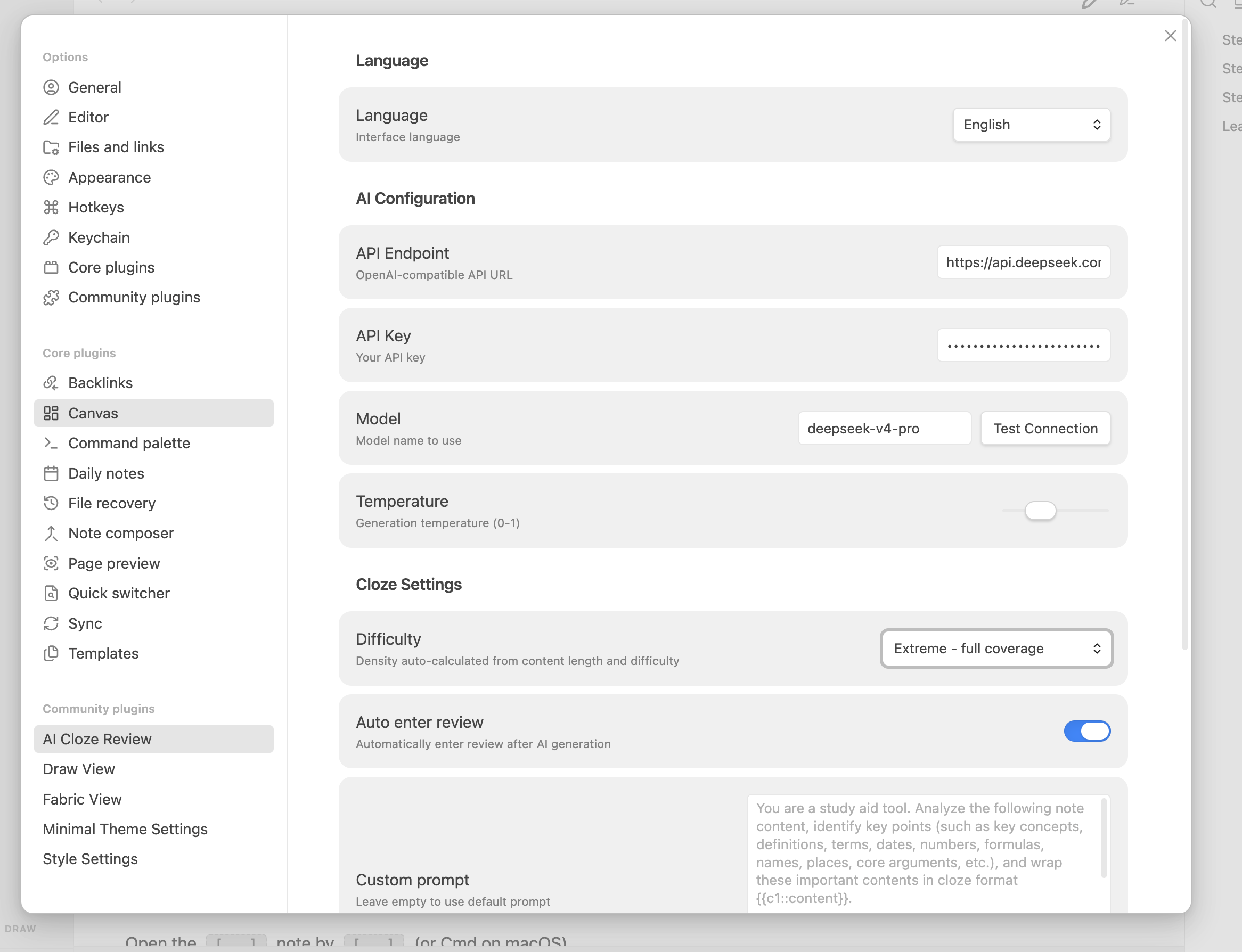
- Configure API in settings (endpoint, key, model)
- Click AI Cloze to generate cloze deletions for the current note
- AI automatically enters review mode, hiding answers as blanks
- Click any blank to reveal the answer
- Use Reveal to show all, Reset to hide all again
- Click Exit to restore the original note view
Screenshots
Cloze Syntax
{{c1::key content}}          — Basic cloze
{{c1::answer::hint}}          — Cloze with hint
In review mode, cloze answers are hidden as [ __ ] placeholders. Click to reveal.
Installation
From Obsidian Community Plugins (coming soon)
- Open Settings → Community Plugins
- Browse and install "AI Cloze Review"
- Configure API settings
Manual Installation
- Download
main.js,manifest.json,styles.cssfrom the latest release - Place them in
{your-vault}/.obsidian/plugins/ai-cloze-review/ - Enable the plugin in Settings → Community Plugins
Settings
| Setting | Description | Default |
|---|---|---|
| Language | Interface language (auto/en/zh) | Auto-detect |
| API Endpoint | OpenAI-compatible API URL | https://api.openai.com/v1/chat/completions |
| API Key | Your API key | — |
| Model | Model name | gpt-4o-mini |
| Temperature | Generation temperature (0-1) | 0.3 |
| Difficulty | Cloze density: Easy/Medium/Hard/Extreme | Medium |
| Auto Enter Review | Auto-enter review after AI generation | true |
| Custom Prompt | Custom AI prompt | Default prompt |
Difficulty & Density
Cloze count automatically adapts to your note length:
| Difficulty | Density | 3000 chars example |
|---|---|---|
| Easy | 250 chars/cloze | ~12 clozes |
| Medium | 120 chars/cloze | ~25 clozes |
| Hard | 60 chars/cloze | ~50 clozes |
| Extreme | 30 chars/cloze | ~100 clozes |
Development
npm install
npm run build   # production build
npm run dev     # dev with watch mode
License
MIT