
README file from
GithubAdvanced Find and Replace Plugin for Obsidian
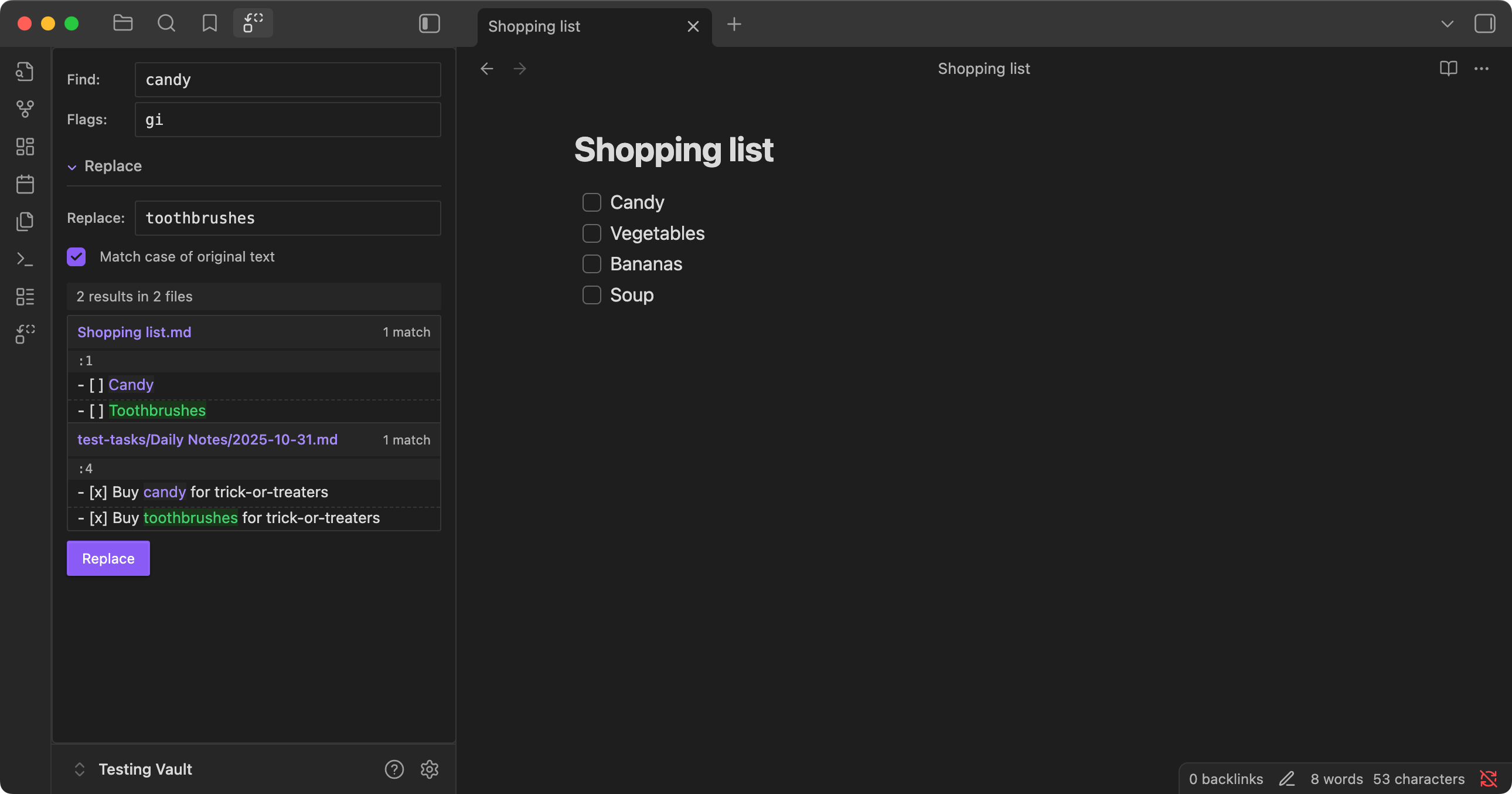
Find and replace text across your vault using regular expressions, with advanced features like capturing groups and a live preview.
Features
- Regex Pattern Matching: Use full regular expression support with flags (global, case-insensitive, etc.)
- Live Preview: See exactly what changes will be made before applying them
- Vault-Wide Search: Search across all markdown files in your vault simultaneously
- Before/After Display: View the original text and replacement side by side
- Contextual Preview: Shows surrounding lines for better understanding of changes
Installation
Installation via BRAT
- Install the Beta Reviewer's Auto-update Tool (BRAT) from Obsidian's Community Plugins
- Open BRAT settings → Add Beta Plugin → enter repository URL:
https://github.com/rockofox/obsidian-advanced-find-and-replace - Enable the plugin when it appears in your disabled plugins list
- BRAT will automatically update the plugin when new versions are released